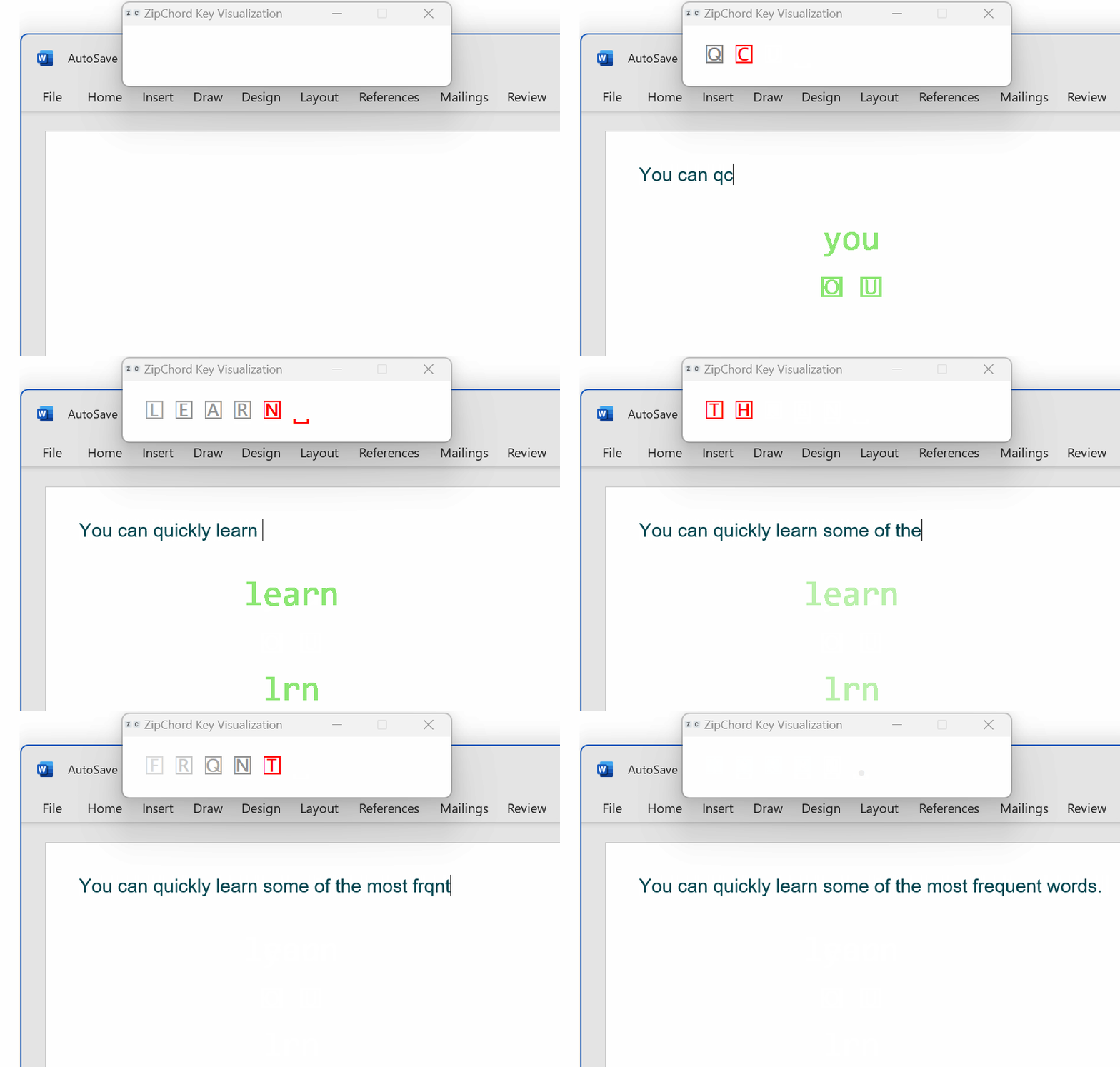
ZipChord is a Windows app for hybrid typing: it lets you mix normal typing, simultaneous chords, and typed shorthands in the same flow.
Instead of learning full stenography, you can start with just a few shortcuts for the most common words and phrases. ZipChord is built around the idea that a small number of high-frequency shortcuts can speed up a large share of everyday typing.
- Keep using your normal keyboard and regular typing habits
- Add simultaneous chords for frequent words
- Expand typed abbreviations into longer text with shorthands
- Learn gradually with real-time hints and reminders
- Keep everything local and private on your computer
- Simultaneous chord recognition (also known as chorded entry or chording)
- Sequential shorthands that expand typed abbreviations to full words or phrases
- Separate customizable dictionaries for chords and shorthands
- Real-time hints in an on-screen display or tooltips
- Smart spaces and automatic capitalization around shortcuts and punctuation
- Automatic switching with the active Windows keyboard layout and custom key mapping
- Native UI and command menu for common actions
- Press a chord such as
S+Dto output "should" - Type a shorthand such as "adrs" to expand to a "address"
- Use hints while typing to discover or remember available shortcuts
- Download: Latest release
- Install: Installation guide
- Learn: How to use ZipChord
- Keyboard layouts and language settings: Keyboard and language settings
Download zipchord-install-version.zip or the stand-alone zipchord-exe-version.zip from the latest release.
If you prefer not to use the installer or compiled executable, download the release source archive, extract it anywhere on Windows, install AutoHotkey v1.1, switch the working directory to source, and run zipchord.ahk.
ZipChord currently works on Windows only. A cross-platform version is under development.
Official documentation is available under the Wiki tab.
ZipChord adheres to strict privacy and security principles. It does not send your typed content or configuration data anywhere. See more privacy details in the Wiki.
If you have any questions, feedback, or suggestions, please write a note in the Discussions. You can also report a bug if you run across anything that seems broken or create a feature suggestion under Issues.