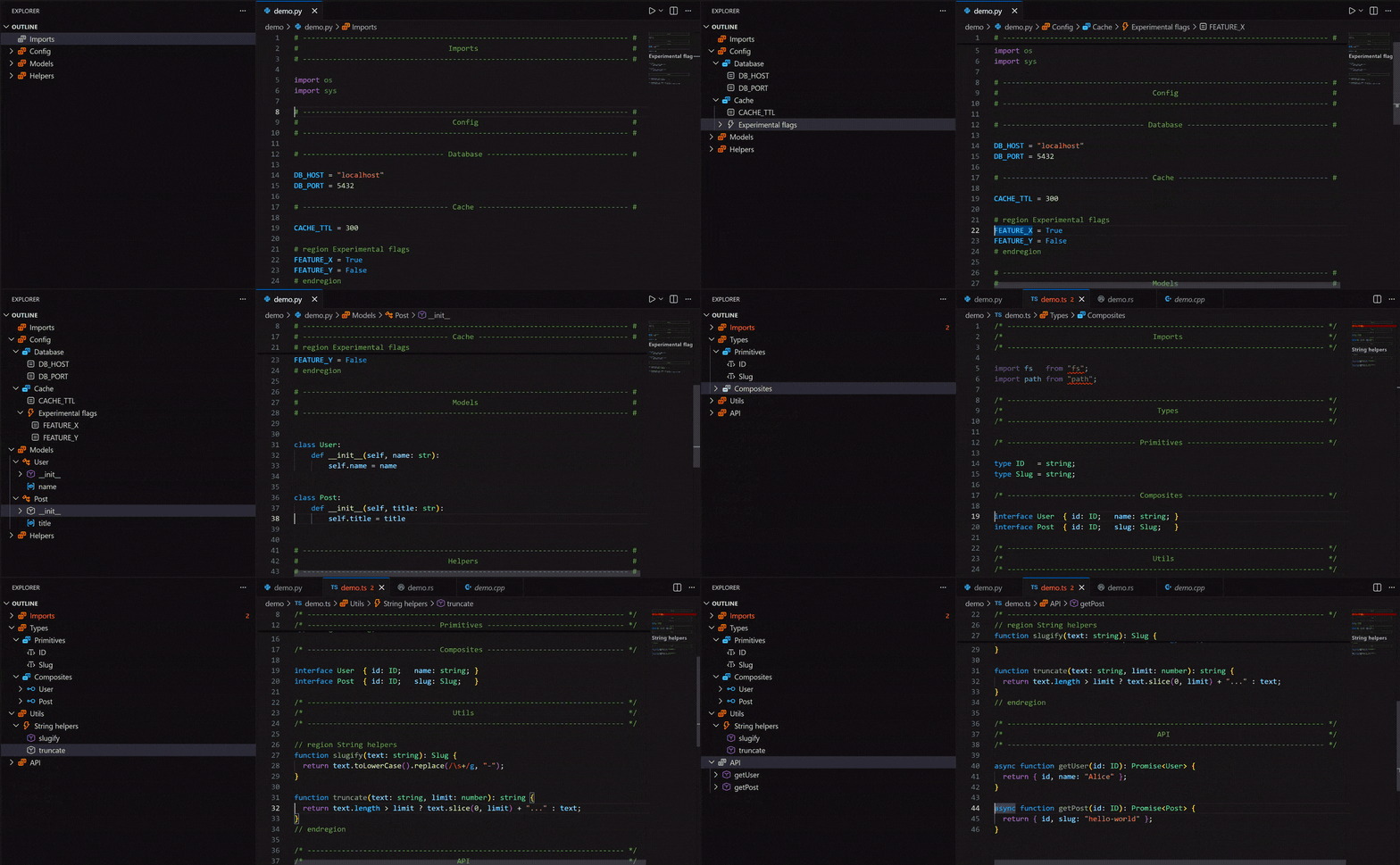




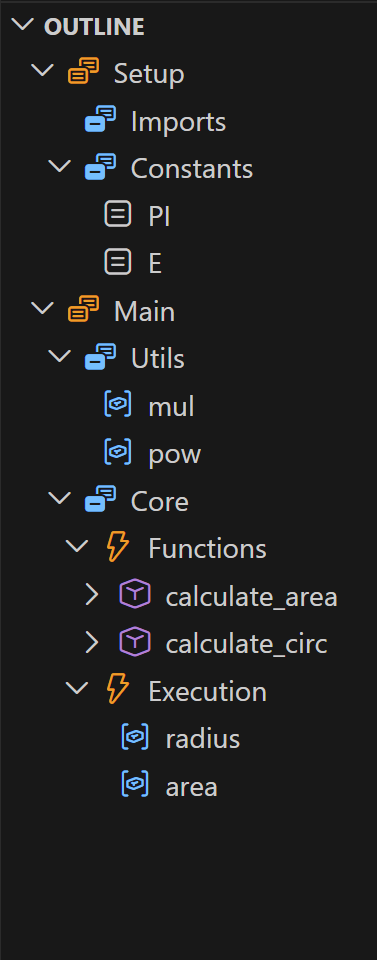
Comment regions support for the built-in VS Code Outline view. In addition to existing elements (class, method, etc.), this extension auto-inserts comment sections (navigable and collapsible) to the Outline. Supports 3 types:
Banners (3-line comment blocks)
# ------------------------------- #
#         Python Example          #
# ------------------------------- #
my_var = 0
Dividers (1-line dashed comment)
# ------- Python Example -------- #
my_var = 0
Region Blocks (official folding region)
# region Python Example
my_var = 0
# endregion
Tip
This extension is compatible with Comment Divider (strongly recommended)
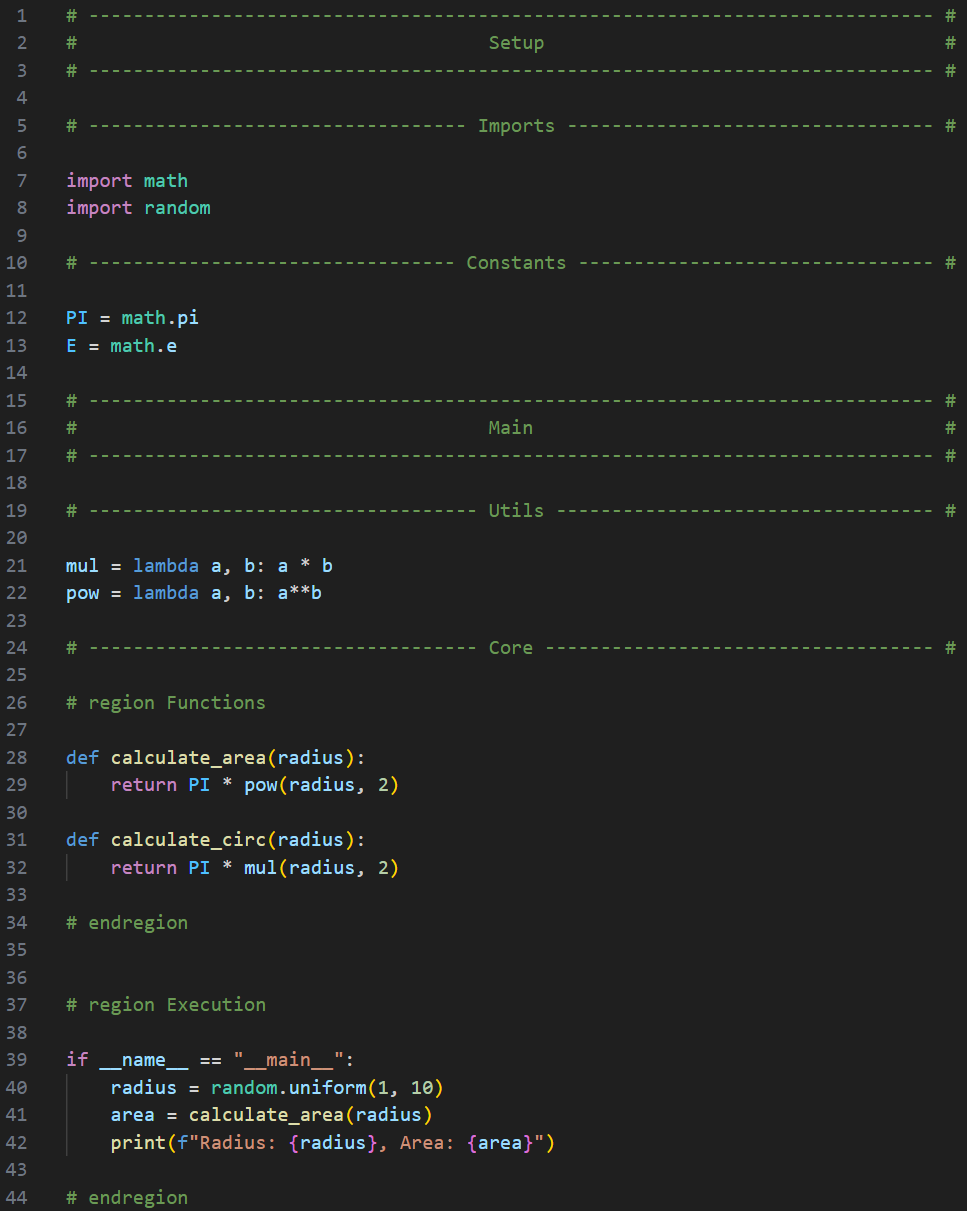
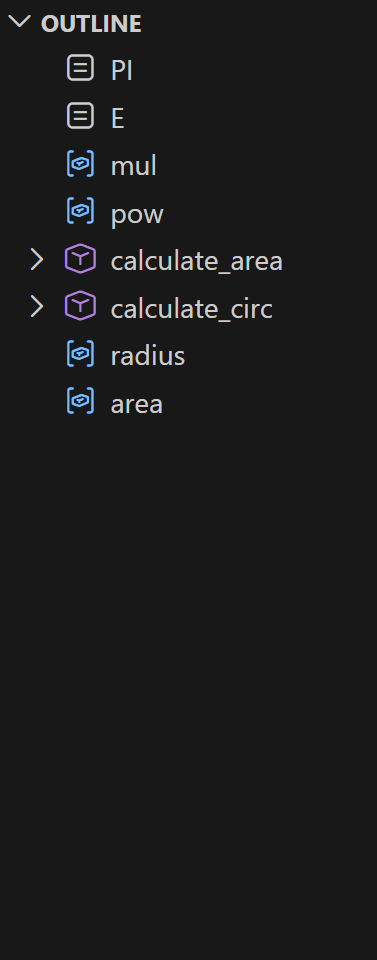
| Example | Original | With Sections |
|---|---|---|
 |
 |
 |
| Supported Languages | Supported Analyser | Region Start | Region End |
|---|---|---|---|
  |
typescript-language-features (built-in) | // #region Name |
// #endregion |
 |
vscode-pylance | # region Name |
# endregion |
  |
cpptools | // #region Name |
// #endregion |
 |
rust-analyzer | // #region Name |
// #endregion |
 |
java | // #region Name |
// #endregion |
To add custom region syntax in addition to built-in #region/#endregion detection, specify the regex in VSCode settings (Ctrl+, or Cmd+, for MacOS and enter "outline sections"). Example matching note: Name (start) and end (end):
{
	"outlineSections.regionStartRegex": "note:\\s*(.+)",
    "outlineSections.regionEndRegex": "end" // optional
}| Pattern | Example | Match |
|---|---|---|
note:\s*(.+) |
Python | # note: Helpers |
section:\s*(.+) |
Rust | // section: Helpers |
>{3,}\s*(.+) |
Java | /* >>> Helpers */ |
<{6,} |
C | /* <<<<<<<<<< */ |
Notes
- No need to specify
^,\s*, or comment markers (#,//, etc.) - they are automatically considered. - Start pattern is additive: built-in region markers still work.
- If your start pattern has a first capture group, it becomes the region name.
- If no end pattern is provided, custom regions auto-close at the next region/header/subheader or end of file.
Install the latest version of Node.js LTS and the dependent packages (note all packages install locally into node_modules/ so no virtual environment is needed):
make setupWindows: install Node.js LTS from nodejs.org manually, then use
make install(requires Git Bash or WSL).
npm run test                          # run tests + generate coverage report
npm run package                       # compile → out/ and build .vsix (what gets published)
npx semantic-release --dry-run        # preview next release version and notes
Tip
You can run make clean to clean up compiled/generated files.
Open extension.ts and press F5 (fn + F5 if on Mac) to launch VS Code Extension Development Window with the extension loaded.
How it works?
The extension uses VS Code API to parse the document and create section markers as document symbols based on comments. It then "injects" those symbols into the LSP communicator's parse commands provided by the analyser extension (which depends on language). It's a bit of a simplification but that's the rough idea.