






LabelPicker is available to add labels for components to UIPickerView. Frame of components and labels is calicurated automaticaly from your specified values of items and labels width.
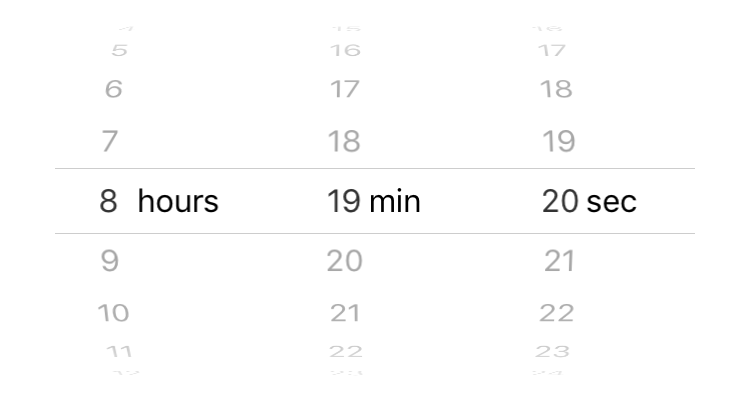
let hours = (0...23).map { "\($0)" }
let min = (0...59).map { "\($0)" }
let sec = (0...59).map { "\($0)" }
let attributes: [NSAttributedString.Key: Any] = [.font: UIFont.systemFont(ofSize: 16.0)]

let itemsComponents = [hours, min, sec]
    .map { ItemsComponent(items: $0, attributes: attributes, maxWidth: 20.0) }
let labelComponents = [("hours", 50.0), ("min", 30.0), ("sec", 30.0)]
    .map { LabelComponent(name: $0, attributes: attributes, width: $1) }
let components = zip(itemsComponents, labelComponents).map(LabelPickerComponent.init)

let pickerView = LabelPickerView()
pickerView.rowHeight = 30.0
pickerView.components = components

view.addSubview(pickerView)
See Demo for more info.
- iOS 10.0
- Xcode 9.0
- Swift 4.0
Specify LabelPicker as a dependency of your Package.swift.
dependencies: [
    .package(url: "https://github.com/komaji/LabelPicker.git", .upToNextMajor(from: "VERSION_NUMBER")),
],Add this to your Cartfile:
github "komaji/LabelPicker"
Then, run the following command:
$ carthage update