


Small terminal printing helpers for Python: colours, styles, inline text, readable
status messages, and Unicode-aware frames. Built on Python's standard streams
and one runtime dependency, wcwidth.
Requires Python 3.10+. Upgrading from 1.x? Read the migration guide.
python -m pip install --upgrade AdvancedPrinter
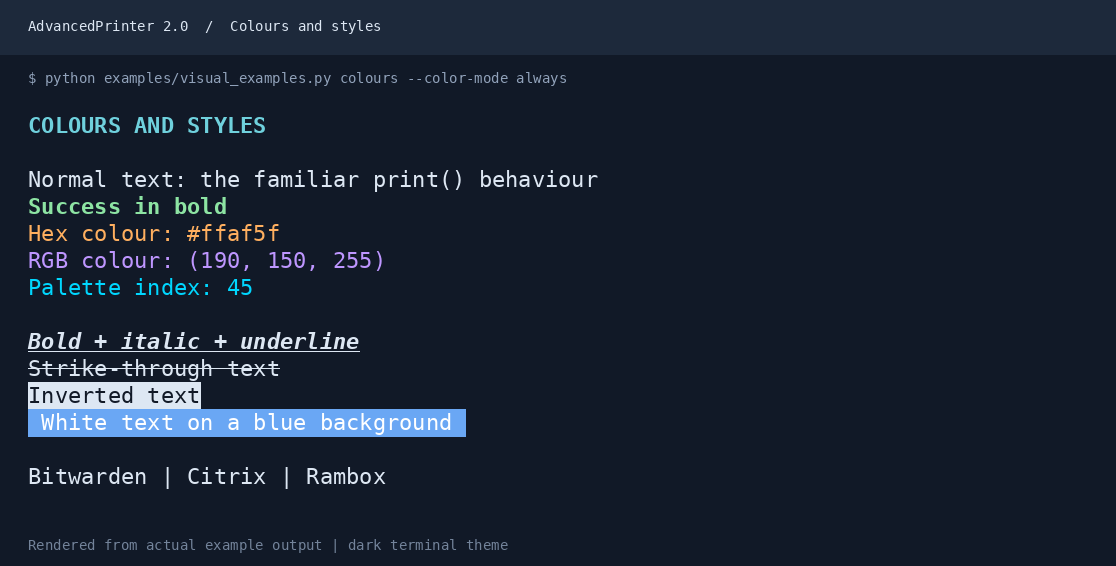
python -m advancedprinterSee the illustrated guide for runnable examples and output pictures, similar to the original README. From a source checkout, run all five demonstrations:
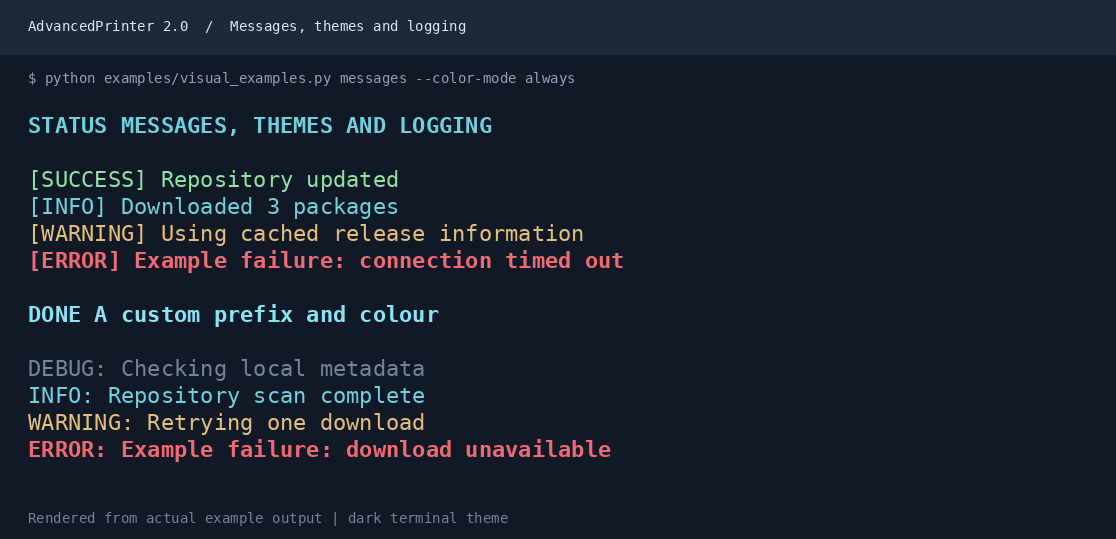
python examples/visual_examples.py allThe pictures below are rendered from the examples' actual ANSI output on a dark
terminal theme. They force colour for capture; normal application output uses
auto by default. Fonts and terminal palettes may differ on your system.
from advancedprinter import print

print("Repository updated", color="green", style="bold")
print("Downloaded", 3, "packages", sep=" | ")
print("Custom colour", color="#ff8800", background="black")
print("Combined styles", style="bold italic underline")
The original short arguments and class imports still work:
from advancedprinter import AdvancedPrinter as ap

ap.print("Green text", c="green")
ap.print("Bold italic text", s="b-it")
ap.print("White on blue", c="white", b="blue")
ap.help()
print() supports the standard sep, end, file, and flush parameters.
Colours may be palette names, #RRGGBB, RGB tuples, or xterm indexes from 0 to 255.
Unknown names and conflicting aliases raise descriptive exceptions.
from advancedprinter import Printer

console = Printer(color_mode="auto")
console.success("Repository updated")
console.warning("Using cached release information")
console.info("Downloaded", 3, "packages")
console.error("Download failed")  # stderr by default

with open("sync.log", "w", encoding="utf-8") as log:
    console.print("This file gets plain text", color="green", file=log)
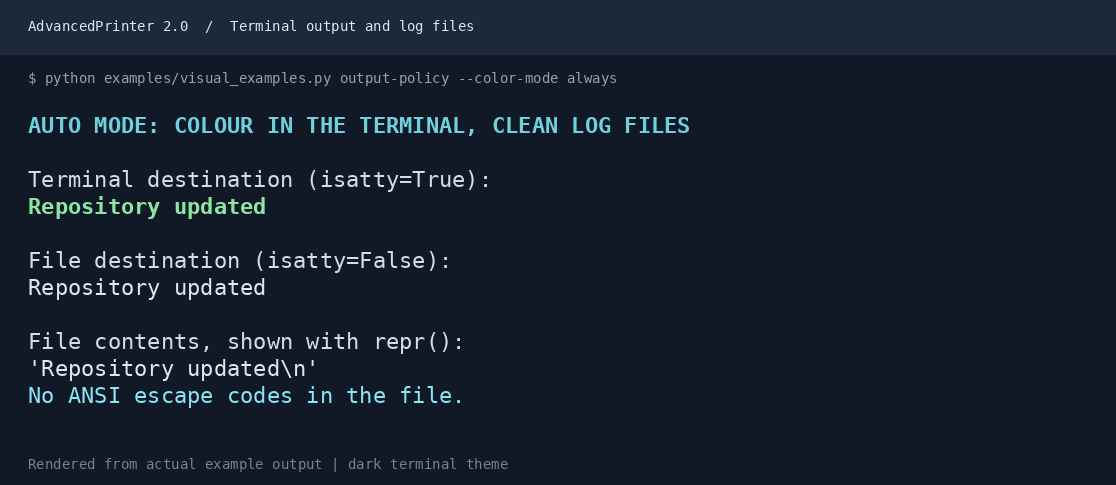
The default auto policy inspects the actual destination stream. Redirected
output, pipes, and TERM=dumb get plain text. Non-empty NO_COLOR disables
colours in automatic mode while retaining attributes such as bold.
color_mode="always"explicitly enables styling, even in files or withNO_COLOR.color_mode="never"removes all ANSI escape sequences, including inline ones.color_system="auto"detects standard, 256-colour, or truecolour support fromTERMandCOLORTERM. Set the depth explicitly when detection is insufficient.
Printers have independent configuration. No global setup or monkey-patching is
required. file=None resolves the current sys.stdout at the time of each call.
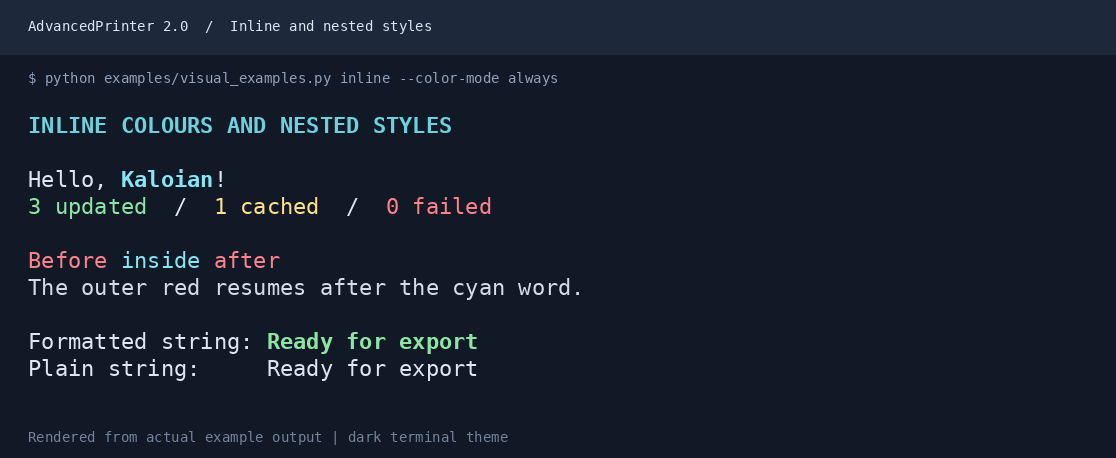
from advancedprinter import format_text, line, print

name = line("Kaloian", color="blue", style="bold")
print(f"Hello, {name}!")

# Outer formatting resumes after the inner span ends.
print("Before " + line("inside", color="blue") + " after", color="red")

plain = format_text("No escape codes", color="green", color_mode="never")
line() is an alias of format_text(). These pure functions return strings and
default to ANSI output, independent of the environment. They do not inspect
stdout; the printing operation applies the destination's policy. Use
color_mode="never" when you need a plain string directly. The pure functions
require explicit policies; auto is only available on output operations.
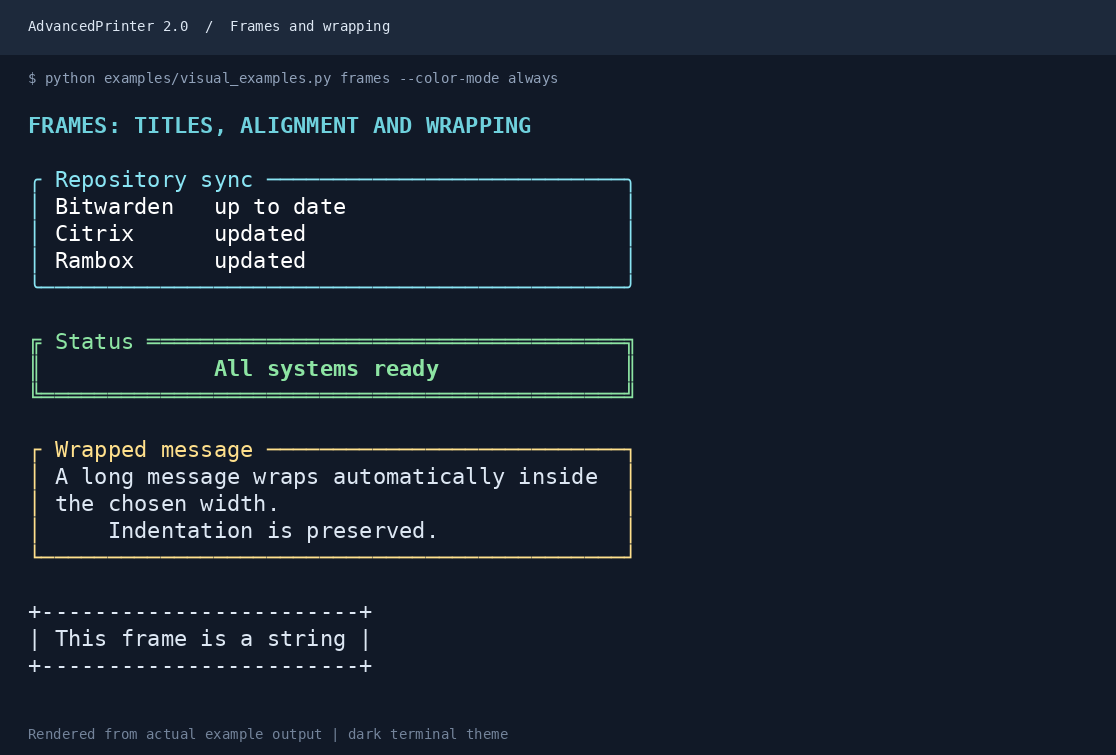
from advancedprinter import Printer, format_frame

console = Printer()
console.frame(
    "Downloaded 3 packages\n中文 and emoji 👋 are measured in terminal cells",
    title="Repository sync",
    border="rounded",
    border_color="cyan",
    max_width=48,
    padding=1,
)

text = format_frame("Ready", border="double", color_mode="never")
console.print(text)
Borders: basic, basic2, single, double, and rounded. Frames support
colours, titles, horizontal padding, alignment, wrapping, and ascii=True.
width and max_width include borders and padding. Indentation, trailing spaces,
and blank lines are preserved; use dedent=True to remove common indentation.
A character or title that cannot fit raises ValueError rather than breaking
the frame. frame() prints; format_frame() returns a string.
from advancedprinter import MessageStyle, Printer

console = Printer(
    theme={
        "success": MessageStyle(color="cyan", style="bold", prefix="DONE"),
    }
)
console.success("All tasks complete")
answer = console.input("  Continue? ", color="yellow")
Input prompts are preserved exactly. input() without a prompt is supported;
EOF and keyboard interrupts behave normally.
import logging
import sys
from advancedprinter import ColorFormatter

handler = logging.StreamHandler(sys.stderr)
handler.setFormatter(
    ColorFormatter(
        "%(levelname)s: %(message)s",
        stream=handler.stream,
    )
)
logger = logging.getLogger("sync")
logger.addHandler(handler)
logger.setLevel(logging.INFO)
logger.info("Repository updated")
Use an ordinary logging.Formatter for file handlers. Pass the console handler's
actual stream to ColorFormatter; log records are not modified.
- Visual guide and examples
- API reference and full palette
- Migration from 1.x
- Release and PyPI setup
- Changelog
- Contributing
CI tests Python 3.10–3.14 on Linux, Windows, and macOS, checks formatting and static types, and validates the built wheel and source distribution. Publishing a GitHub Release runs the same checks, verifies the tag matches the package version, and uploads the validated distributions through PyPI Trusted Publishing. The one-time publisher setup is described in the release guide.
Terminal rendering still depends on fonts and terminal support. Italic and strike-through are not available everywhere; emoji widths can vary between terminals. Windows automatic mode uses VT support where available and falls back to plain output otherwise. Border characters fall back to ASCII when the stream encoding requires it; non-encodable user content still raises the normal error.