

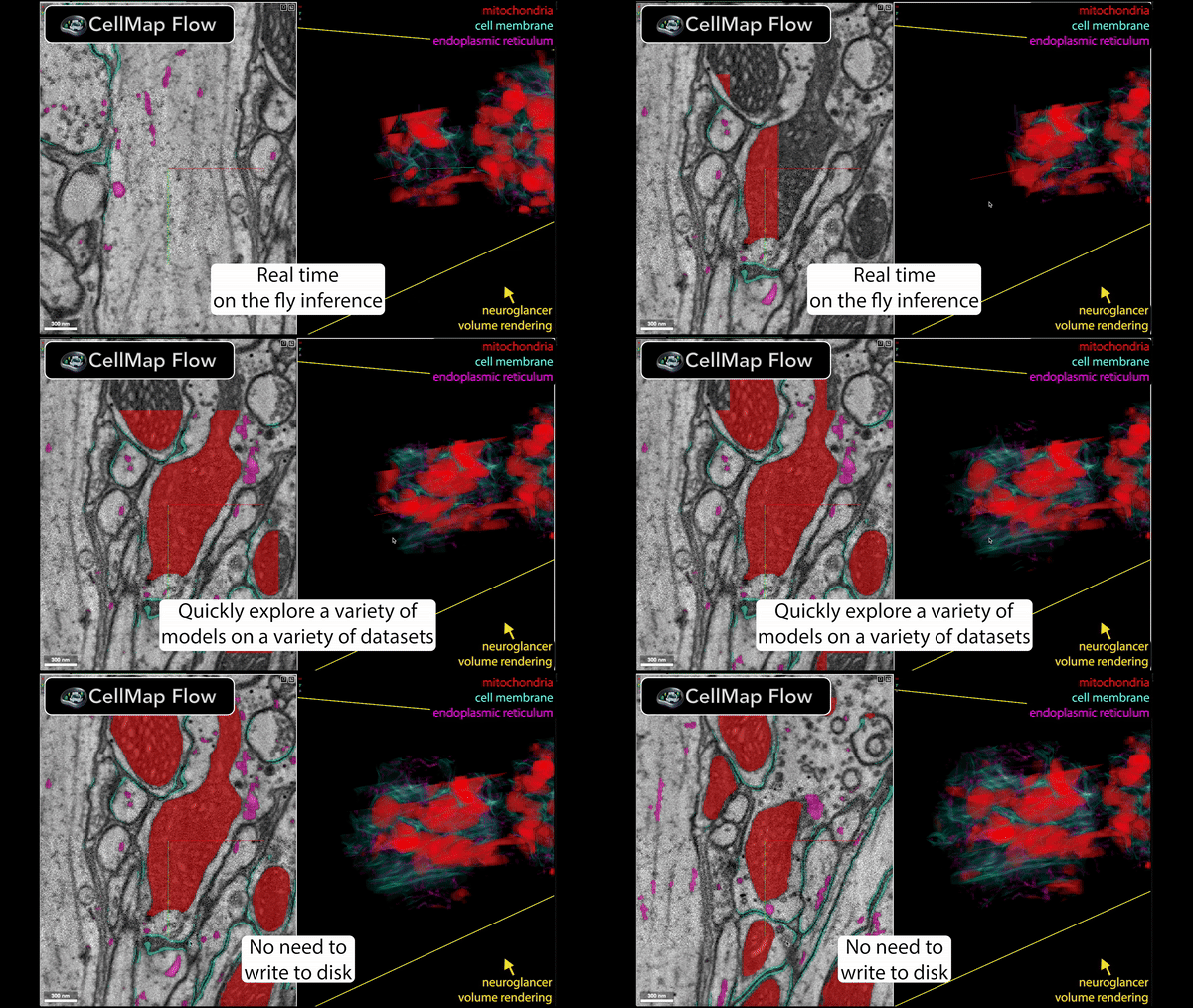
Run segmentation models on any EM volume, on disk or in the cloud, and see their predictions in Neuroglancer as you browse. Paint where a model is wrong and finetune it in place.
Try it in your browser, with nothing to install:
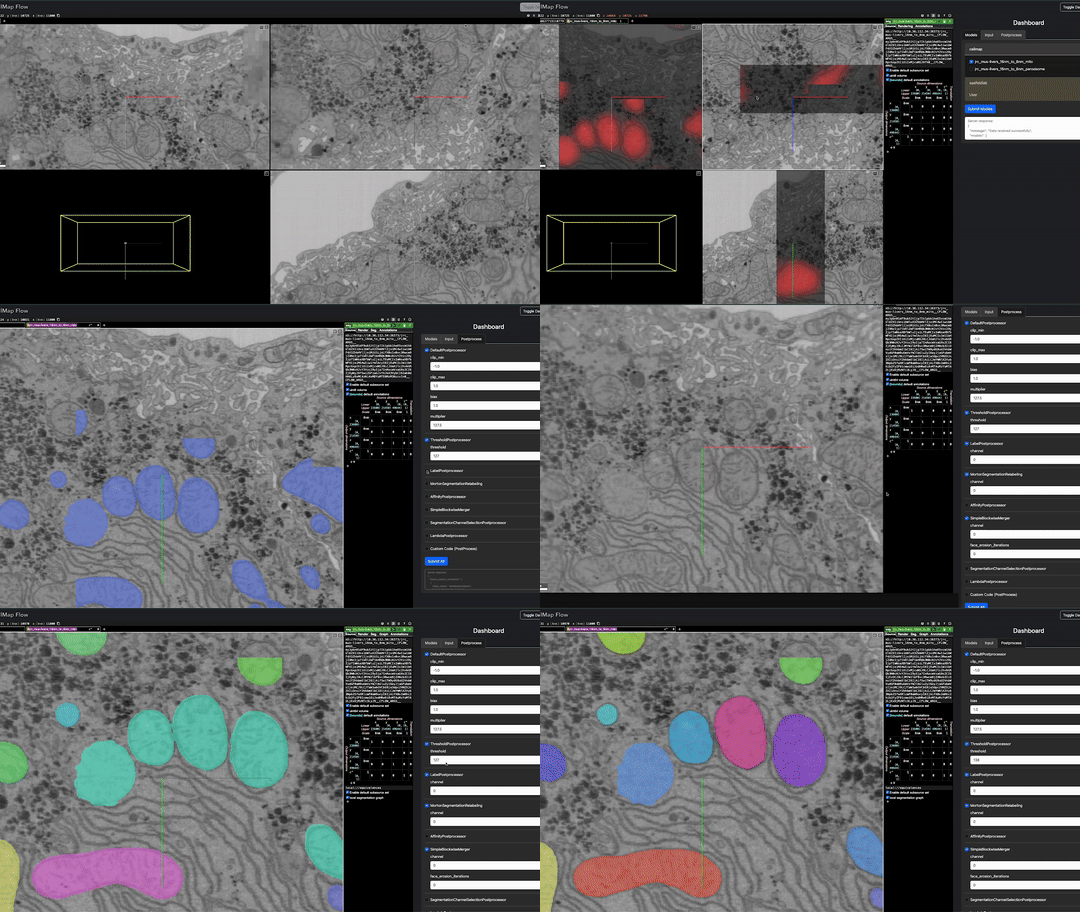
- Open the app, then open a volume (a public one, or in Chrome or Edge a folder on your machine) and pick models.
- Open an example,
already running: an OpenOrganelle mouse-liver volume with the mitochondria model
setup_53on it.
🚧 Still under construction: expect frequent changes.
- Almost any model. cellmap's own networks, any model in the
BioImage Model Zoo, Cellpose-SAM in 2D or 3D,
fly_organelles checkpoints, DaCapo runs, ONNX exports, and any PyTorch or
TensorFlow model through a short Python script. Paste what you have (a path,
a zoo nickname, a Hugging Face repo, a Cellpose model name) into the
dashboard's Add a model, or run
cellmap_flow add REF: it works out the model's type, the environment it runs in and anything it still needs. - Any volume. zarr (v2 or v3, OME-Zarr), N5 or Neuroglancer precomputed,
on disk or at an
s3://,gs://orhttps://URL. Each model reads the level at its own voxel size, resampled when the volume has none. - Live. Predictions are computed for what is on screen, nearest first, and kept: panning back, or changing only the postprocessing, reuses them.
- Pre- and postprocessing. Input normalizers and postprocessing steps (thresholds, watersheds, instance ids, Cellpose masks) are chained in the dashboard and redrawn as soon as you apply them.
- Which model to start from. Paint a few objects and some background, and the models are ranked by how well each one already matches the paint.
- Finetune in place. Paint where a model is wrong and train it: with LoRA or the whole network on the cluster, or in the browser on your GPU. The finetuned model is served beside the original to compare. Seed from Prediction, AI-assisted annotation and Mark as Good make the painting quick.
- Whole volumes. Blockwise runs over a volume on the cluster, or the browser's Save predictions tab over a box you draw, saved as OME-Zarr.
- Share. In the browser app, Share copies a link that opens the volume, the models, the view and the settings they run with.
- In the browser too. The dashboard as a web page, with the models running on your GPU through WebGPU. The server mode adds what a browser cannot run (PyTorch, TensorFlow, the Zoo, Cellpose, DaCapo), LoRA, and cluster jobs. See In the browser.
With pixi 0.68 or later, on Linux (x86-64) or an Apple-silicon Mac:
git clone https://github.com/janelia-cellmap/cellmap-flow.git
cd cellmap-flow
pixi install
pixi run cellmap_flow view -d data_path
Model families whose dependencies clash (Cellpose, the BioImage Model Zoo,
fly_organelles) run in pixi environments of their own, installed the first time
a model needs one. Or pip install cellmap-flow, with the extras [dacapo],
[bioimageio] and [finetune]. See
Installation for
Macs, pip and installing from GitHub, and
docs/finetuning.md for finetuning's extra setup.
cellmap_flow view -d data_path
cellmap_flow yaml config.yaml
cellmap_flow add conscientious-dromedary
cellmap_flow add cpsam_v2 -v 64 --run -d data_path
cellmap_flow blockwise blockwise.yaml
view opens a volume and you pick models in the dashboard; yaml runs the
models a YAML lists; add says what a model reference is and prints its YAML
entry, and with --run serves it on a volume; blockwise runs a model over a
whole volume on the cluster. cellmap_flow --help lists every command; see
the CLI page.
| Type | Runs | e.g. |
|---|---|---|
cellmap, huggingface |
cellmap's exported networks, from a folder or a Hugging Face repo | cellmap/fly_organelles_run08_438000 |
bioimage |
any BioImage Model Zoo model, with its own pre- and postprocessing | conscientious-dromedary |
cellpose |
Cellpose-SAM or finetuned Cellpose weights: flows, probability or masks, in 2D or 3D | cpsam_v2 |
fly |
a fly_organelles training checkpoint | /path/to/run/model_checkpoint_20000 |
onnx |
an ONNX export, as the browser runs it | setup_54 |
dacapo |
a DaCapo run | dacapo:run@iteration |
script |
anything else, PyTorch or TensorFlow, from a Python script | example/model_spec.py |
finetune |
a LoRA or full finetune of any of the above | made by the Finetune tab |
Every type's arguments, and the environment each runs in, are in YAML configuration; there are examples in example/.
janelia-cellmap.github.io/cellmap-flow: the browser app, YAML configuration, data paths, postprocessing, custom scripts, finetuning and how it works.