This project is a multithreaded client-server network chat application implemented in Java, utilizing the JavaFX library for the graphical user interface (GUI) and Maven for project management. The application allows multiple clients to connect to a server, enabling real-time communication between users.
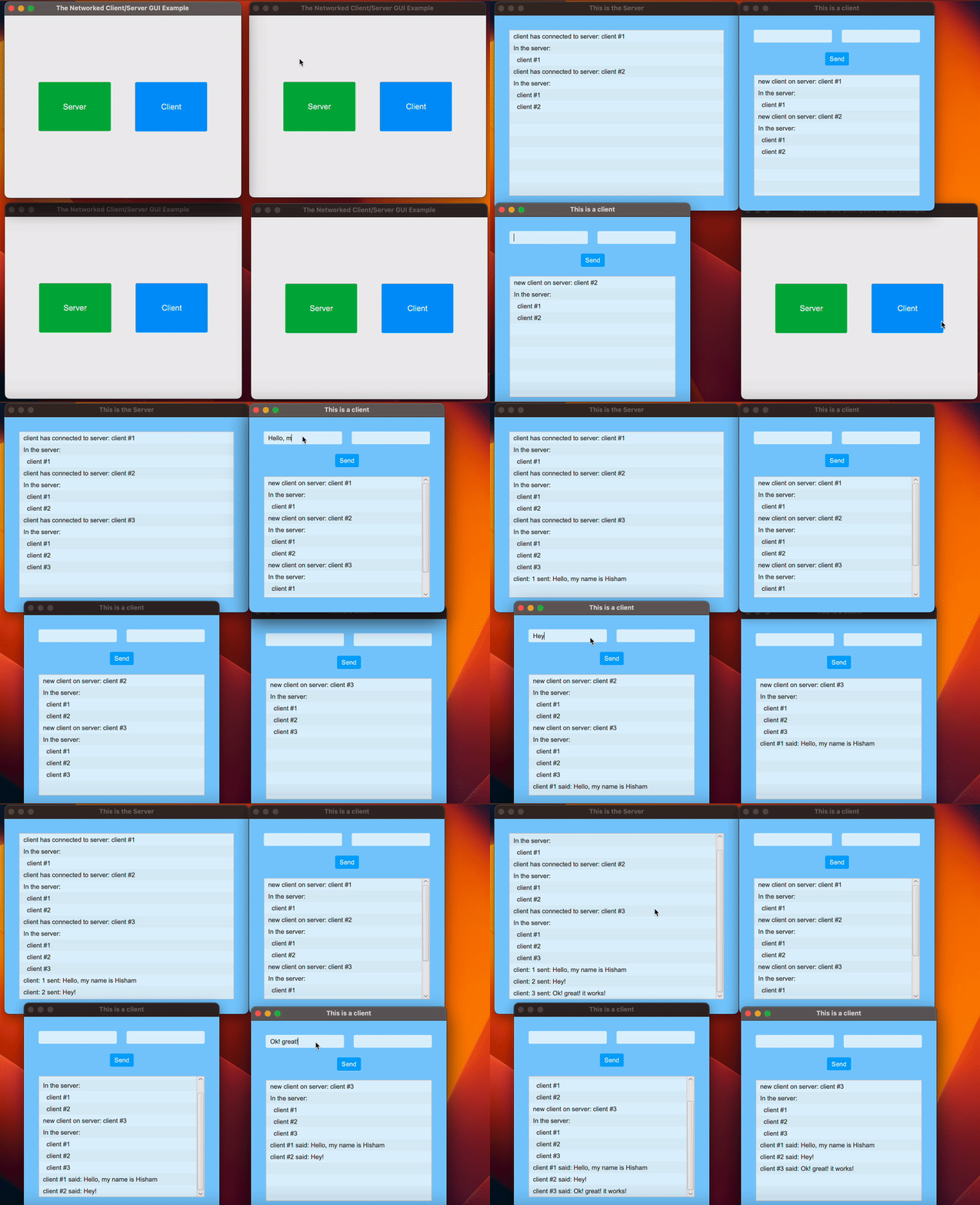
The application follows the client-server model, where multiple clients can connect to a single server and exchange messages with each other in real-time.
The server can handle multiple clients concurrently using multithreading, allowing efficient communication without blocking.
The application provides a user-friendly graphical interface created using JavaFX, with enhanced styling for a more visually appealing experience.
The application offers an easy-to-customize user interface, allowing for the modification of colors, fonts, and layout elements.
The server is capable of broadcasting messages to all connected clients or specific clients as needed.
The project utilizes Java object serialization to transmit messages and additional data between the client and the server.
The project consists of the following main components:
This class represents the client-side logic, handling socket connections, input/output streams, and sending/receiving messages.
This class is responsible for the application's GUI, including the creation of scenes and the management of the server and client user interfaces.
This class is a serializable data model for transmitting messages and additional information between the client and the server.
This class contains the server-side logic, including the implementation of the server, client threads, and methods for managing communication between clients.
To run the application, simply execute the GuiServer.java file. This will launch the main interface, where you can choose to start a server or connect as a client. Once the server is running and clients are connected, users can send messages to each other in real-time.