


Web service and command-line tool for formal code reviews with a tamper-evident audit trail
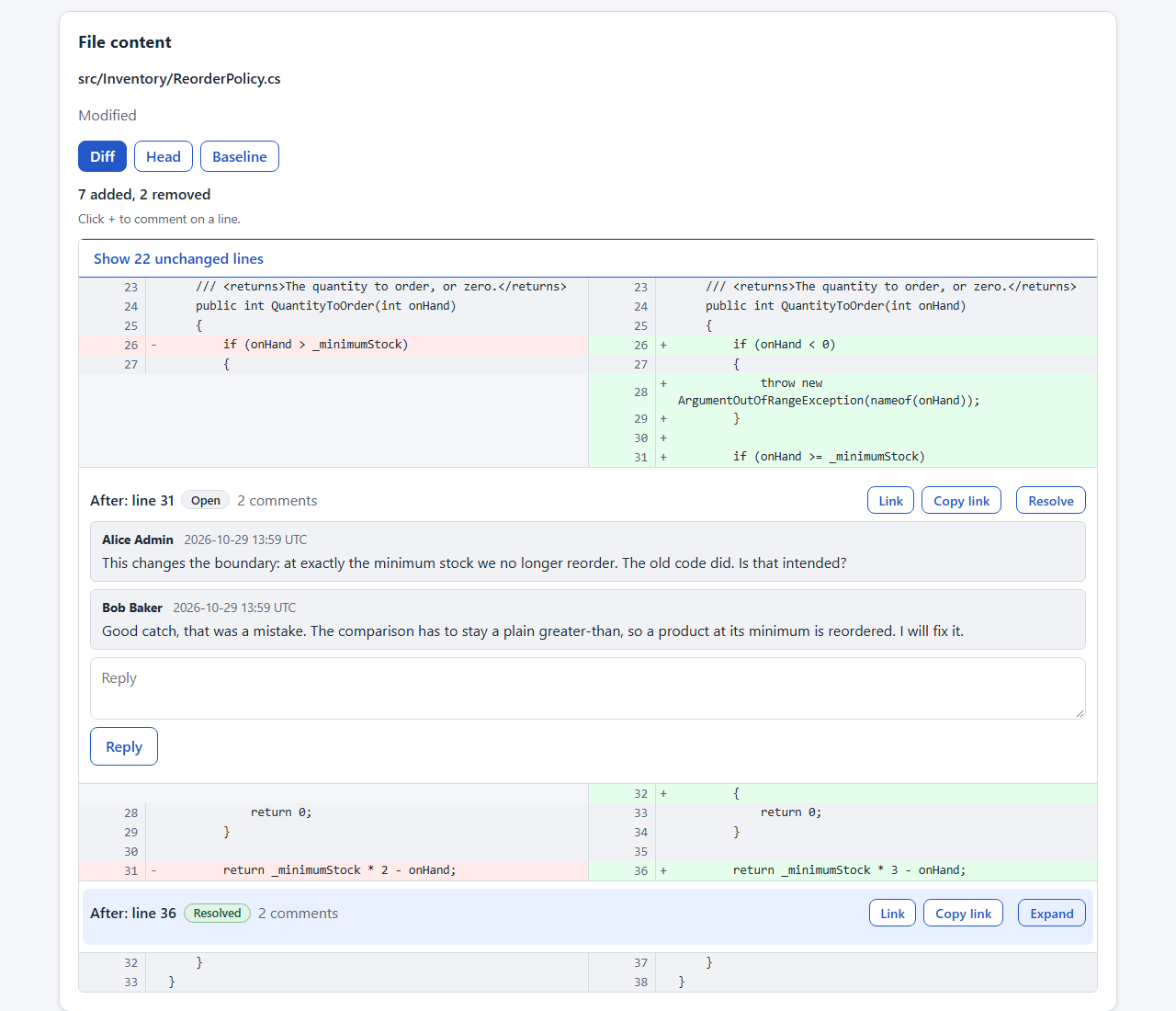
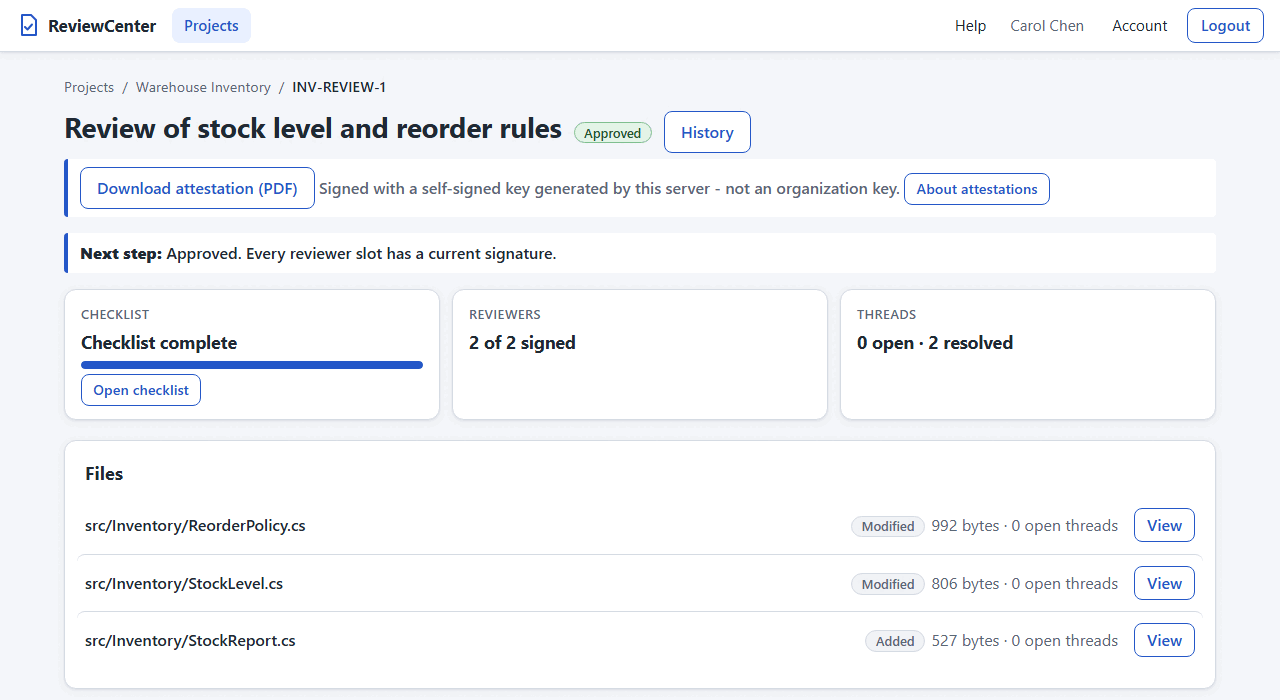
See the User Guide for a tour of the screens.
ReviewCenter is a DEMA Consulting ASP.NET Core web service, with a companion command-line interface, for performing formal code reviews of file sets against earlier revisions. Reviewers discuss the files in threaded comments, answer a project checklist in their own ballot, and sign the review with their credentials. Every action is recorded in a hash-chained audit trail.
- 🔍 File-Set Reviews - Review uploaded files or git revision changes
- 🌿 Git Sources - Plan reviews from repository review-sets
- 📅 Due Dates - Optional due dates with Overdue badge
- 📊 Progress Overview - Stage, signatures, blockers, and who waits
- 🔁 Follow-up Reviews - Carry agreed answers into follow-ups
- 💬 Questions and Findings - Discuss files, lines, or checks
- 🧭 Where Are We? - Shows ballots, disputes, and next step
- 📥 Inbox - What waits for you, by section
- ✅ Review Checklist - Per-reviewer ballots consolidated into agreed answers
- 👥 Reviewer Slots - Primary and alternate reviewers per slot
- 🙈 Independent Ballots - Answers stay hidden until you submit
- ✍️ Re-authenticated Signatures - Identity-confirmed sign-off on agreed record
- 🔒 Conclusion Lock - Concluded reviews lock; admins can reopen
- 🔗 Tamper-Evident Audit Trail - Hash-chained history with filtered CSV/JSON export
- 📄 Signed PDF Attestation - Verifiable PDFs for approved or rejected reviews
- ⚙️ Evidence Settings - Control PDF contents and anonymous access
- 🛡️ Access Control - Project roles, including read-only Auditor
- 🪪 OpenID Connect Sign-in - Single sign-on with any provider
- 🔐 Two-Factor Sign-in - Optional authenticator codes for local accounts
- 🔑 API Tokens - Personal tokens for API and ReviewMark
- 🌗 Light and Dark Theme - Follows system or account setting
- 🤖 Puppet UI Automation - Lets AI agents drive the UI
- 📦 Self-Contained Executable - Single Windows and Linux executable
- 🗄️ SQLite Storage - Everything in one auto-created file
- 🔄 Key Rotation - Move stored secrets to new key
- 🧪 Self-Validation - Built-in tests with TRX or JUnit output
Download the archive for your platform from the GitHub Releases page, verify it against the
matching .sha256 file, and extract it:
reviewcenter-<version>-win-x64.zip(Windows)reviewcenter-<version>-linux-x64.tar.gz(Linux)
Keep the extracted files together: the executable needs the wwwroot folder, the static-web-assets endpoint file,
appsettings.json, and the native SQLite library in the same folder. No release has been published yet; until one is,
build from source with the .NET 10 SDK:
dotnet build
dotnet run --project src/DemaConsulting.ReviewCenter -- serve
See the Installation chapter of the user guide for the verification commands, and the Deployment chapter for running the server for a team.
The examples use reviewcenter, the command name of the published executable (when running from source, use
dotnet run --project src/DemaConsulting.ReviewCenter -- instead).
# Create the first administrator (the password is read from REVIEWCENTER_PASSWORD, from standard input, or prompted)
reviewcenter user add --username admin --display-name "Ada Admin" --system-admin

# Run the web server (default http://localhost:5000, or choose an address with --urls)
reviewcenter serve
Open http://localhost:5000 in a browser, sign in as the system administrator, create a project, and add its members.
The built-in Help in the page header guides you through creating and signing a review.
The User Guide describes everything in detail, including:
- Deployment: where the data lives, configuration, running as a service, TLS and a reverse proxy, backup, and upgrades
- Users and Sign-in: accounts, system administrators, lockout, and the sign-in throttle
- Access and Visibility: roles, project membership, and who can see and do what
- Projects and Reviews: uploads, reviews from a git repository, and review-sets
- Planning Reviews: create the reviews of all review-sets of a repository in one go
- Review Signatures: reviewer slots, ballots, signing, and the outcome
- Signed Attestation: the PDF, its signing key, and what the signature proves
- Review Practices: suggested good practices for running a review
- Evidence Settings: anonymous access to the evidence and what the PDFs contain
- Audit Trail: the hash chain, verification, and its limits
- Database: data location and database settings
- Repositories and Credentials: git access and token protection
- Command-Line Options: all options of the
reviewcentercommand - Planned Work: what is not implemented yet
Run reviewcenter --validate to produce a validation report, and add --results results.trx (or .xml for JUnit) to
save it. See the Self-Validation section of the user guide for the report and its tests.
See CONTRIBUTING.md for guidelines on reporting bugs, suggesting features, and submitting pull requests.
Copyright (c) DEMA Consulting. Licensed under the MIT License. See LICENSE for details.
By contributing to this project, you agree that your contributions will be licensed under the MIT License.