Pre-configured Google Colab notebooks to run AUTOMATIC1111/stable-diffusion-webui based on camenduru/stable-diffusion-webui-colab.
| Colab | Version | Description |
|---|---|---|
 |
Standard | Basic WebUI with extensions listed below. Standard version takes about 5 minutes to setup |
|
ControlNet | Standard + ControlNet extensions and models, which takes 1 or 2 minutes more than the standard version to setup given additional ControlNet models to download |
Click one of the two buttons above to run the Colab Notebook:

Click "Run anyway" in the warning window:
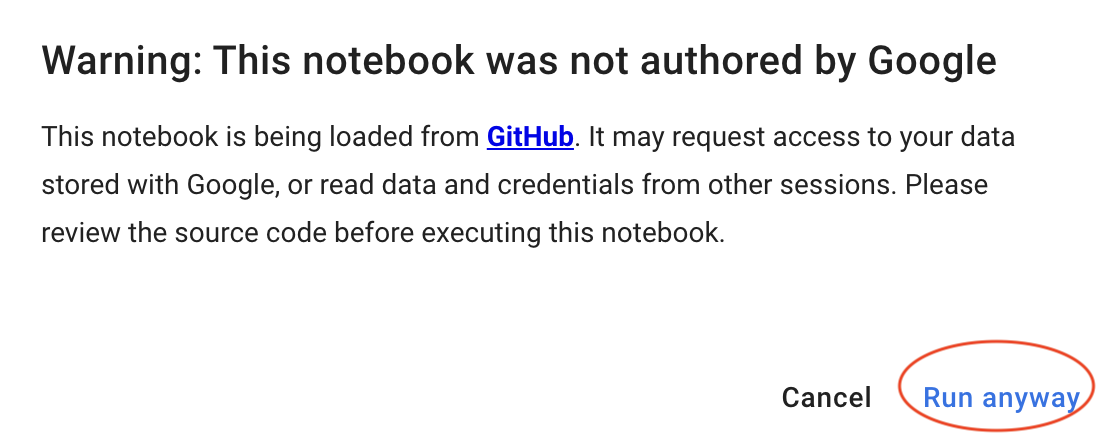
After a few minutes, you should see the following messages in Colab. Click the public link to access WebUI in a new browser window or tab:

The following extensions are pre-configured for all versions.
- https://github.com/AlUlkesh/stable-diffusion-webui-images-browser
- https://github.com/kohya-ss/sd-webui-additional-networks
- https://github.com/etherealxx/batchlinks-webui
The following are additional extensions for ControlNet version.
- https://github.com/Mikubill/sd-webui-controlnet
- https://github.com/camenduru/openpose-editor
- https://github.com/jexom/sd-webui-depth-lib
- https://github.com/hnmr293/posex
Three models are pre-loaded:
- Stable Diffusion v1.5 model: v1-5-pruned-emaonly.safetensors
- Deliberate: deliberate_v2.safetensors
- DreamShaper: dreamshaper_4BakedVae.safetensors
Install additional models (checkpoint, lora, embedding, vae, etc.) using pre-installed batchlinks-webui extension:

As an exmaple, we show below how you can get one checkpoint from Huggingface and one lora model from CivitAI - please refer to the official README to learn how to get model links from other sources and other functions.
The link for the checkpoint "ChilloutMix" on Huggingface is https://huggingface.co/datamonet/ChilloutMix/tree/main.
Right click the model you want to get and choose Copy Link Address:

The link for the lora on CivitAI is https://civitai.com/models/12597/moxin - NOTE: this is NOT the link for the model.
Right click the Download Latest button and choose Copy Link Address:
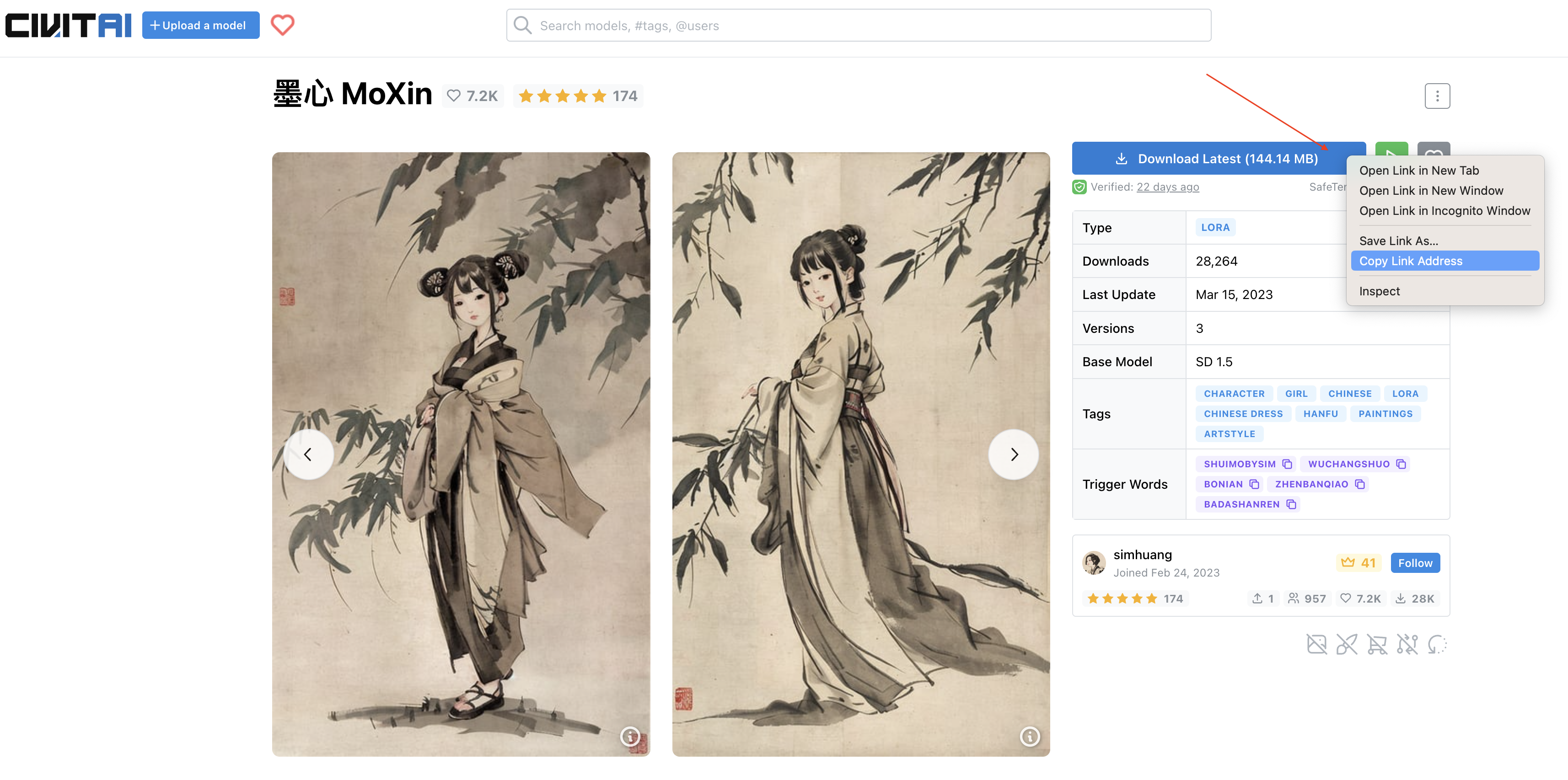
If the model has multiple versions, you can scroll down to get the address in the same way:

Now, you can put the following text to batchlinks-webui extension:
#model
https://huggingface.co/datamonet/ChilloutMix/resolve/main/chilloutmix_NiPrunedFp16.safetensors
#lora
https://civitai.com/api/download/models/14856
Or you can save the text into a txt file and load it in:

Then, click Download ALL button to download the models.
You can switch to Colab to check the downloading progress:


Now, you should have the ChilloutMix base model and MoXin lora:

You can replicate the image below by using the following prompt:
portrait of a woman standing , willow branches, (masterpiece, best quality:1.2), traditional chinese ink painting, modelshoot style, peaceful, (smile), looking at viewer, wearing long hanfu, hanfu, song, willow tree in background <lora:Moxin_10:0.8>
Negative prompt: (worst quality:2), (low quality:2), (normal quality:2), lowres, normal quality, skin spots, acnes, skin blemishes, age spot, glans, (watermark:2), hands
Steps: 30, Sampler: DPM++ SDE Karras, CFG scale: 3.5, Seed: 932584919, Size: 640x1024, Model hash: 1db9eb3bc3, Model: chilloutmix_NiPrunedFp16
