



A synchronized media player resource for FiveM.
Download Latest Release
·
Report Bug
·
Request Feature
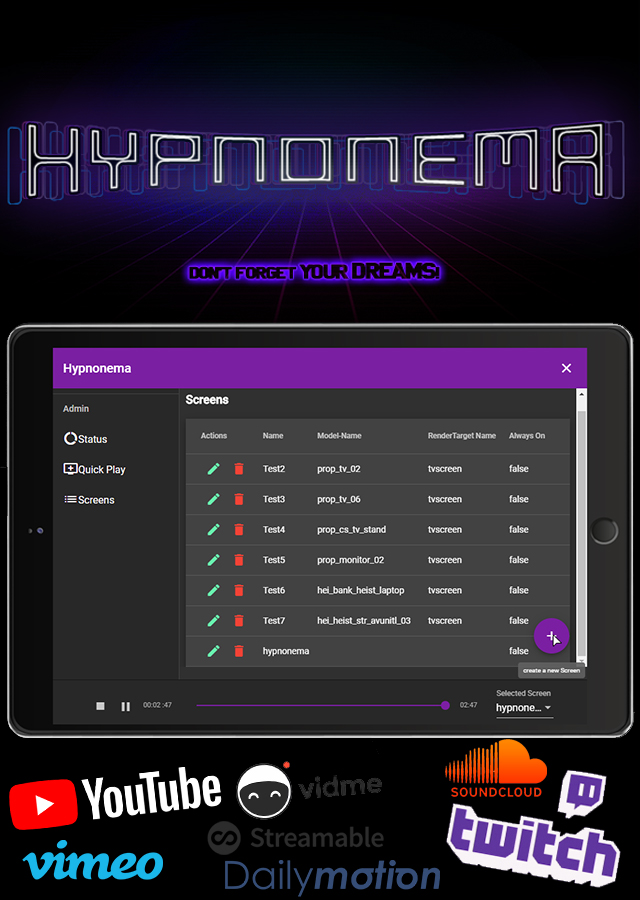
- Everyone sees and hears the same frame at the same moment; the server holds the clock and clients follow.
- Direct audio and video files, HLS and DASH streams, and links from the platforms below.
- Screens load only when a player is near, so one nobody stands next to costs nothing.
- A shared queue anyone with permission can add to and skip through.
- An in-game menu for browsing, queueing and controlling playback.
- An in-game editor for placing and resizing screens with the mouse, saved to
screens.yamlfor everyone with no restart. - ACE permissions that decide who may start playback, control it, and manage screens.
- Exports and events for driving Hypnonema from your own resources.
- Ads on YouTube are auto-skipped as soon as the Skip button appears, and hidden until then.
- YouTube ad handling that pauses for viewers stuck on an unskippable ad instead of letting them fall behind, with a time cap so it never stalls the group.
Paste any of these into the menu:
| Source | What you paste |
|---|---|
| Video files | A direct link ending in .mp4, .webm, .mov, .m4v or .ogv |
| Audio files | A direct link ending in .mp3, .m4a, .aac, .wav, .oga or .weba |
| HLS | A live or on-demand stream ending in .m3u8 |
| DASH | A stream ending in .mpd |
| YouTube | Watch links, youtu.be short links, Shorts, live streams and playlists |
| Vimeo | Any vimeo.com video link |
| Twitch | A channel (live) or a VOD link |
| TikTok | A link to a single video |
| Wistia | A wistia.com media or embed link |
| Spotify | A track, album or playlist link (audio only, no video) |
| Mux | A stream.mux.com playback link |
Anything not on this list will not play, even if the link works fine in a browser. Facebook, Dailymotion, Streamable, Vidme and SoundCloud were supported in earlier Hypnonema releases and no longer are.
▶ Watch it in action on YouTube
- A recent FiveM Server Build
-
Extract it into your
resourcesdirectory. -
(Optional) Configure permissions via
permissions.cfg. See Permissions. -
Add the following to your
server.cfg:exec @hypnonema/config/permissions.cfg ensure hypnonema ensure hypnonema-map
Hypnonema uses FiveM's ACE system to manage access control.
The shipped permissions.cfg already splits the three permissions sensibly: everyone may start playback, moderators may also control it, and admins get everything including screen management. Edit that file to move the lines around.
Permissions are hierarchical: hypnonema (no suffix) is the implicit parent of all three, so granting it grants everything.
| Permission | Scope | Description |
|---|---|---|
hypnonema.use |
Starting playback | Create a media player, enqueue a track |
hypnonema.control |
Controlling active playback | Pause, stop, loop, mute, toggle video, seek, skip, change render mode |
hypnonema.manage-screens |
Persistent screen management | Save/delete a screen, persist scaleform settings to disk |
This is what permissions.cfg ships with:
# Admins get everything, including screen management
add_ace group.admin hypnonema allow

# Everyone may start playback and queue tracks
add_ace builtin.everyone hypnonema.use allow

# Moderators may also control what is playing
add_ace group.moderators hypnonema.control allow
To keep players from starting playback at all, delete the builtin.everyone line. Whoever is not covered by a remaining line then has no Hypnonema permission left.
To let moderators save and delete screens too, add:
add_ace group.moderators hypnonema.manage-screens allowTo grant one person something without putting them in a group, name their identifier instead:
add_ace identifier.fivem:1234567 hypnonema.control allowSetting permissionsEnabled: false in config.yaml ignores every hypnonema.* line above and lets any player do anything. The separate commandRestricted setting still decides who may open the menu in the first place.
💡 For more info, check out the FiveM ACE permissions guide
Modify config.yaml to change runtime behavior.
| Setting | Default | Description | Allowed Values |
|---|---|---|---|
commandName |
hypnonema |
Chat command to open the interface | Any string |
commandRestricted |
false |
Require the native command.<commandName> ACE just to run the command |
true false |
disableIdleCam |
true |
Disable idle camera during playback | true false |
logLevel |
warn |
Logging | verbose debug info warning error |
defaultRange |
300.0 |
Default range in meters for audio/video playback | Float |
maxQueueSize |
10 |
Max tracks queued at once on a single media player | Integer |
permissionsEnabled |
true |
Enforce ACE permission checks (see Permissions) | true false |
youtubeAdQuorum.threshold |
0.5 |
Share of active viewers reporting a YouTube ad before playback waits | Float 0–1 |
youtubeAdQuorum.waitTimeout |
00:00:45 |
Max time to wait for ad compensation | hh:mm:ss |
dui.url |
GitHub Pages URL | URL the DUI browser loads the video-player app from | URL |
dui.timeout |
00:00:05 |
Time to wait for the DUI connection | hh:mm:ss |
dui.width / dui.height |
1280 / 720 |
DUI browser resolution | Integer |
Other resources can create and control media players via exports (exports.hypnonema:...) without touching Hypnonema's internals. targetJson/trackJson/tracksJson are JSON strings; see shapes below the tables.
| Export | Parameters | Returns | Description |
|---|---|---|---|
create |
targetJson, trackJson |
int (handle) |
Creates a media player on the given target with an initial track |
enqueue |
handle, trackJson |
— | Adds a track to the end of the queue |
setQueue |
handle, tracksJson |
— | Replaces the entire queue |
setPaused |
handle, paused: bool |
— | Pauses or resumes playback |
skip |
handle |
— | Skips to the next track |
seek |
handle, positionMs: int |
— | Seeks to a position in the current track |
setLoop |
handle, looped: bool |
— | Enables/disables queue looping |
setMuted |
handle, muted: bool |
— | Mutes/unmutes audio |
setVideoEnabled |
handle, enabled: bool |
— | Enables/disables video rendering (audio keeps playing) |
setScaleformSettings |
handle, settingsJson |
— | Updates scaleform rendering settings |
setRenderMode |
handle, renderMode: string |
— | "RenderTarget", "Scaleform", or "ScaleformRenderTarget" (case-insensitive) |
stop |
handle |
— | Destroys the media player; the handle becomes invalid |
getMediaPlayers |
— | string (JSON array) |
Lists all active media players |
getMediaPlayer |
handle |
string | null (JSON) |
Gets one media player by handle |
getMediaPlayersByName |
name: string |
string (JSON array) |
Lists media players whose label matches name |
Invalid calls throw a C# exception (e.g. ConsumerScreenNotFoundException, ConsumerModelNotFoundException, ConsumerMediaPlayerNotFoundException, ArgumentException), which FXServer rethrows to the caller — catch with pcall/try-catch as appropriate.
targetJson:
{ "Type": "Screen", "Screen": { "Name": "my_screen" } }or
{ "Type": "Model", "Model": { "Prop": "prop_tv_flat_01" } }trackJson (tracksJson is a JSON array of this shape):
{
  "Url": "https://example.com/video.mp4",
  "Title": "My Video",
  "ThumbnailUrl": ""
}| Export | Parameters | Returns | Description |
|---|---|---|---|
getLocallyActiveMediaPlayers |
— | string (JSON array) |
Media players currently visible/active for the local player (in range) |
isInRangeOf |
handle |
bool |
Whether the local player is in range of the given media player (false if unknown locally) |
setVolume |
handle, volume: float |
— | Sets the local player's base volume for this media player (0.0–1.0, clamped). Local-only, never synced |
Lua (server-side)
local target = json.encode({ Type = "Screen", Screen = { Name = "my_screen" } })
local track = json.encode({ Url = "https://example.com/video.mp4", Title = "My Video", ThumbnailUrl = "" })

local handle = exports.hypnonema:create(target, track)
exports.hypnonema:setPaused(handle, true)
JavaScript (server-side)
const target = JSON.stringify({
  Type: "Screen",
  Screen: { Name: "my_screen" },
});
const track = JSON.stringify({
  Url: "https://example.com/video.mp4",
  Title: "My Video",
  ThumbnailUrl: "",
});

const handle = exports.hypnonema.create(target, track);
exports.hypnonema.setPaused(handle, true);
C# (server-side, CitizenFX API)
var target = JsonConvert.SerializeObject(new { Type = "Screen", Screen = new { Name = "my_screen" } });
var track = JsonConvert.SerializeObject(new { Url = "https://example.com/video.mp4", Title = "My Video", ThumbnailUrl = "" });

int handle = Exports["hypnonema"].create(target, track);
Exports["hypnonema"].setPaused(handle, true);Native FiveM events (subscribe with AddEventHandler/on) so other resources can react to media player state changes. Each fires independently on both sides — subscribe server-side for server notifications, client-side for client notifications.
| Event | Payload | Fires when |
|---|---|---|
hypnonema:mediaPlayerCreated |
(handle: int, targetType: string, ownerResource: any) |
A media player is created. targetType is "Screen" or "Model"; ownerResource is currently always null |
hypnonema:mediaPlayerDestroyed |
(handle: int) |
A media player is stopped/destroyed (via stop) |
hypnonema:trackChanged |
(handle: int, url: string, title: string, thumbnailUrl: string) |
Playback moves to a new track (initial play or skip) |
hypnonema:playbackStateChanged |
(handle: int, state: string) |
Playback is paused/resumed. state is "Playing" or "Paused" (no "Stopped" — use mediaPlayerDestroyed) |
hypnonema:queueChanged |
(handle: int) |
The queue contents change (enqueue, setQueue, or a track being consumed) |
Lua
AddEventHandler('hypnonema:mediaPlayerCreated', function(handle, targetType, ownerResource)
    print(('Media player %d created on a %s target'):format(handle, targetType))
end)
JavaScript
on("hypnonema:mediaPlayerCreated", (handle, targetType, ownerResource) => {
  console.log(`Media player ${handle} created on a ${targetType} target`);
});
C#
EventHandlers["hypnonema:mediaPlayerCreated"] += new Action<int, string, object>((handle, targetType, ownerResource) =>
{
    Debug.WriteLine($"Media player {handle} created on a {targetType} target");
});For general support, use the official Cfx forum thread.
For development-related issues or bug reports, please open an issue on GitHub.
💡 Tip: Search existing issues before creating a new one.
This project is licensed under the Creative Commons Attribution-NonCommercial 4.0 International License.
