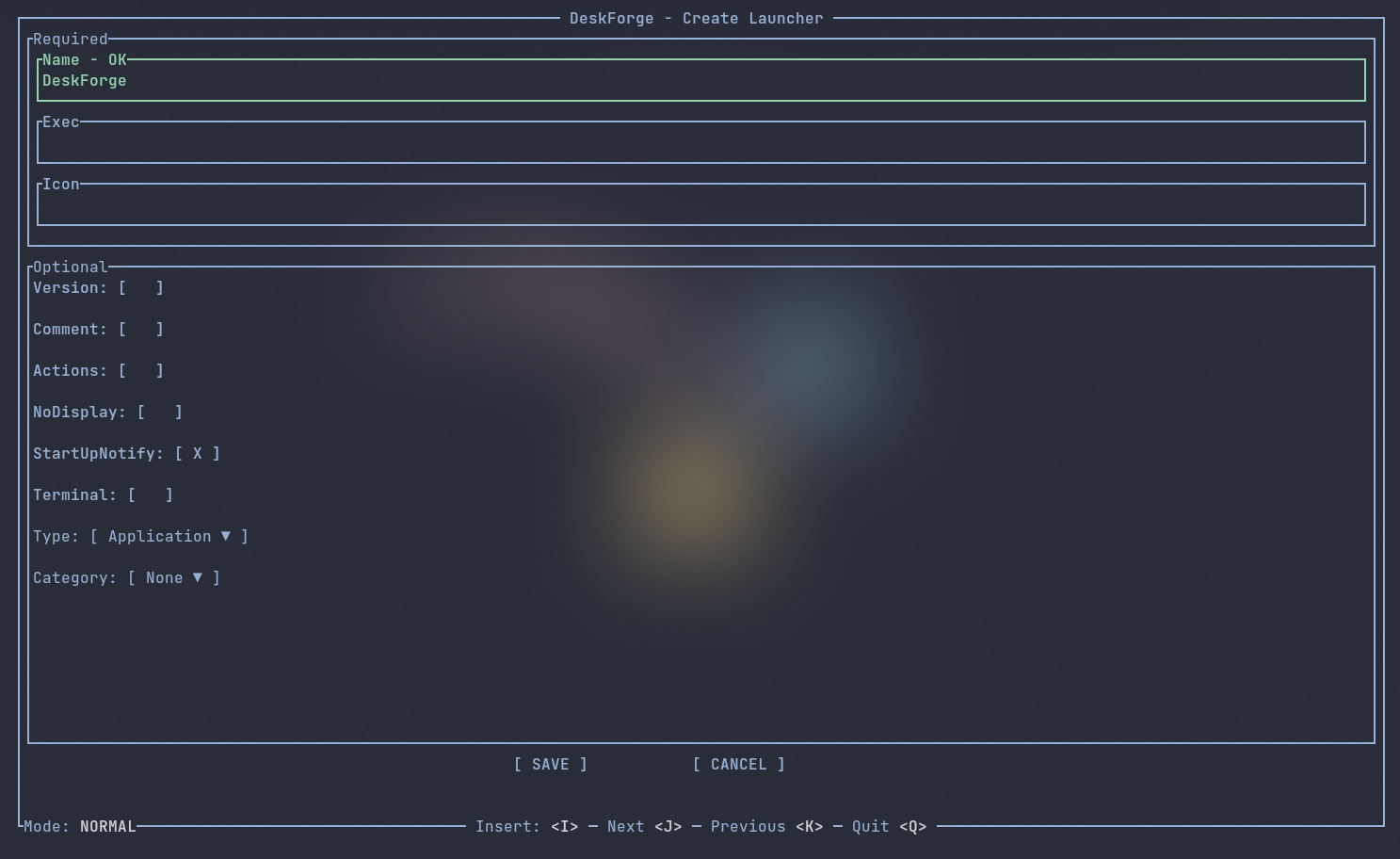
A simple TUI launcher editor for Linux no one asked for
Usage: deskforge [COMMANDS] [OPTIONS]

Options:
  -n, --new [<OPTIONAL: FILE_NAME>]   Create a new launcher
  -e, --edit [<REQUIRED: FILE_NAME>]  Edit an existing launcher
  -r, --remove [<REQUIRED: FILE_NAME>]  Remove an exisiting launcher
  -l, --list                          List all exisiting launcher
  -h, --help                          Print help
  -V, --version                       Print version
Mode: NORMAL

gg                                    Go to name
G                                     Go to save
j                                     Go down
k                                     Go up
dd                                    Delete line
i                                     Insert
q                                     Quit

Mode: INSERT
curl https://sh.rustup.rs -sSf | shgit clone https://github.com/lilyud420/DeskForge.git
cd DeskForge
make installgit clone https://github.com/lilyud420/DeskForge.git
cd DeskForge
cargo build --releasemake uninstall
or
rm -f ~/.local/bin/deskforge
src/
├── app/
│   ├── event.rs        # Handle events & key input
│   ├── mod.rs
│   ├── state.rs        # App state management
│   └── ui.rs           # UI rendering
│
├── commands/           # CLI commands
│   ├── edit.rs
│   ├── list.rs
│   ├── mod.rs
│   ├── new.rs
│   └── remove.rs
│
├── utils/
│   ├── constants.rs    # Constant declaration
│   └── mod.rs
│
├── main.rs
└── cli.rs
- Make sure your PATH includes $HOME/.local/bin. You can add this to your shell configuration:
- Bash (~/.bashrc):
export PATH="$HOME/.local/bin:$PATH" - Zsh (~/.zshrc):
export PATH="$HOME/.local/bin:$PATH"
- Bash (~/.bashrc):
- The executable is installed at:
$HOME/.local/bin/deskforge - Optional .desktop file:
$HOME/.local/share/applications