



Extends Verify to allow verification of documents via Syncfusion File Formats.
Converts documents (pdf, docx, xlsx, and pptx) to png/csv/text for verification.
See Milestones for release notes.
An Syncfusion License is required to use this tool.
Important
To ensure the long-term sustainability of this project, a monthly maintenance fee has been introduced. This fee is required to be paid by all organizations or users of this library. Pay the fee via GitHub Sponsors.
To enact this, an EULA on binary releases has be added to the repo and Nuget packages that requires payment of the maintenance fee.
For more information on who must pay the fee and other frequently asked questions, please see the Open Source Maintenance Fee organisation page.
Entity Framework Extensions is a major sponsor and is proud to contribute to the development this project.


[ModuleInitializer]
public static void Initialize() =>
VerifySyncfusion.Initialize();Verifying a document produces:
- The document itself, as a
.verified.pdf,.verified.docx,.verified.xlsxor.verified.pptx. It can be omitted withExcludeTargets. - An info file,
.verified.txt, with the properties of the document. For a pdf, docx and pptx it also has the page count, and the extracted text: of each page of a pdf or a docx, and of each slide of a pptx. For an xlsx the page count is the number of its sheets. - A png of each page, slide or sheet, as
#page_0001.verified.png,#page_0002.verified.png, etc. A sheet is drawn from its first cell to the last that holds a value, and a sheet with no values has no png. - For an xlsx: a csv of each sheet, named by the sheet, as
#Sheet1.verified.csv. A hidden sheet is a page as any other, with a png and a csv, and is named underHiddenSheetsin the info file.PagesToIncludeleaves out the csv of a sheet with its png.
The page files are named, and the text placed, by Verify's paged documents support, which every Verify plugin that splits a document into pages shares. So do the settings that choose what is verified.
What a document is split into is controlled by Verify's settings for paged documents. Anything left out is not produced at all (pages are not rendered, text is not extracted, sheets are not exported), so these also save work.
The text of each page of a pdf or a docx, and of each slide of a pptx, is in the info file by default. PageText moves it to a #page_0001.verified.txt per page, or leaves it out with PageTextPlacement.None:
[Test]
public Task PageTextPerPage() =>
    VerifyFile("sample.pdf")
        .PageText(PageTextPlacement.PerPage)
.ExcludeDerivedTargets("png");The text of a docx is read from the document as it is laid out, so a line of it is a line of the page, not a paragraph.
PagesToInclude limits the pages that are rendered and read, to the first pages of a document or to those a delegate accepts. The document itself is still verified whole, and its info file still has the count of all pages:
[Test]
public Task PagesToInclude() =>
    VerifyFile("sample.pdf")
        .PagesToInclude(1)
.ExcludeDerivedTargets("png");ExcludeDerivedTargets leaves out what was derived from the document, by extension: "png" for the rendered pages and slides, "csv" for the sheets of an xlsx. The samples above use it to keep the document and its text, and no png.
Each can also be set for every test, on VerifierSettings:
[ModuleInitializer]
public static void Initialize()
{
    VerifySyncfusion.Initialize();

    // For every test: pages are not rendered, so no png is verified
    VerifierSettings.ExcludeDerivedTargets("png");
}[Test]
public Task VerifyPdf() =>
VerifyFile("sample.pdf");[Test]
public Task VerifyPdfStream()
{
var stream = new MemoryStream(File.ReadAllBytes("sample.pdf"));
return Verify(stream, "pdf");
}The info file has the document information under Document, the page count, and the text of each page:
{
  Document: {
    Author: ,
    CreationDate: DateTime_1,
    Creator: RAD PDF,
    CustomMetadata: [],
    Keywords: ,
    ModificationDate: DateTime_2,
    Producer: RAD PDF 3.9.0.0 - http://www.radpdf.com,
    Subject: ,
    Title:
  },
  PageCount: 2,
  Pages: [
    {
      Number: 1,
      Text:
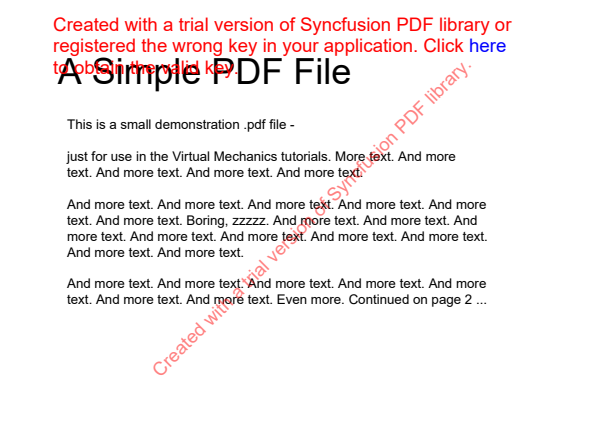
 A Simple PDF File
 This is a small demonstration .pdf file -
 just for use in the Virtual Mechanics tutorials. More text. And more
 text. And more text. And more text. And more text.
 And more text. And more text. And more text. And more text. And more
 text. And more text. Boring, zzzzz. And more text. And more text. And
 more text. And more text. And more text. And more text. And more text.
 And more text. And more text.
 And more text. And more text. And more text. And more text. And more
 text. And more text. And more text. Even more. Continued on page 2 ...
Created with a trial version of Syncfusion PDF library or
registered the wrong key in your application. Click

here

to

obtain

the

valid

key.

Created with a trial version of Syncfusion PDF library.


    },
    {
      Number: 2,
      Text:
 Simple PDF File 2
 ...continued from page 1. Yet more text. And more text. And more text.
 And more text. And more text. And more text. And more text. And more
 text. Oh, how boring typing this stuff. But not as boring as watching
 paint dry. And more text. And more text. And more text. And more text.
 Boring.  More, a little more text. The end, and just as well.
Created with a trial version of Syncfusion PDF
library or registered the wrong key in your
application. Click

here

to

obtain

the

valid

key.

Created with a trial version of Syncfusion PDF library.


    }
  ]
}Samples.VerifyPdf#page_0001.verified.png:

[Test]
public Task VerifyExcel() =>
VerifyFile("sample.xlsx");[Test]
public Task VerifyExcelStream()
{
var stream = new MemoryStream(File.ReadAllBytes("sample.xlsx"));
return Verify(stream, "xlsx");
}{
Document: {
CodeName: ThisWorkbook,
Date1904: false,
HasMacros: false,
DisableMacrosStart: false,
DetectDateTimeInValue: true,
ArgumentsSeparator: ,,
DisplayWorkbookTabs: true,
IsRightToLeft: false,
IsWindowProtection: false,
Version: Xlsx,
IsCellProtection: false,
ReadOnly: false,
ReadOnlyRecommended: false,
StandardFont: Arial,
StandardFontSize: 10.0
},
PageCount: 1
}Created with a trial version of Syncfusion Excel library or registered the wrong key in your application. Go to www.syncfusion.com/account/claim-license-key to obtain the valid key.
0, First Name, Last Name, Gender, Country, Age, Id, Formula, , , , , , , , , , , , , , , ,
1, Dulce, Abril, Female, United States, 32, 1562, 1563, , , , , , , , , , , , , , , ,
2, Mara, Hashimoto, Female, Great Britain, 25, 1582, 1584, , , , , , , , , , , , , , , ,
3, Philip, Gent, Male, France, 36, 2587, 2590, , , , , , , , , , , , , , , ,
4, Kathleen, Hanner, Female, United States, 25, 3549, 3553, , , , , , , , , , , , , , , ,
5, Nereida, Magwood, Female, United States, 58, 2468, 2473, , , , , , , , , , , , , , , ,
6, Gaston, Brumm, Male, United States, 24, 2554, 2560, , , , , , , , , , , , , , , ,
7, Etta, Hurn, Female, Great Britain, 56, 3598, 3605, , , , , , , , , , , , , , , ,
8, Earlean, Melgar, Female, United States, 27, 2456, 2464, , , , , , , , , , , , , , , ,
9, Vincenza, Weiland, Female, United States, 40, 6548, 6557, , , , , , , , , , , , , , , ,
1, Dulce, Abril, Female, United States, 32, 1562, 1563, , , , , , , , , , , , , , , ,
2, Mara, Hashimoto, Female, Great Britain, 25, 1582, 1584, , , , , , , , , , , , , , , ,
3, Philip, Gent, Male, France, 36, 2587, 2590, , , , , , , , , , , , , , , ,
4, Kathleen, Hanner, Female, United States, 25, 3549, 3553, , , , , , , , , , , , , , , ,
5, Nereida, Magwood, Female, United States, 58, 2468, 2473, , , , , , , , , , , , , , , ,
6, Gaston, Brumm, Male, United States, 24, 2554, 2560, , , , , , , , , , , , , , , ,
7, Etta, Hurn, Female, Great Britain, 56, 3598, 3605, , , , , , , , , , , , , , , ,
8, Earlean, Melgar, Female, United States, 27, 2456, 2464, , , , , , , , , , , , , , , ,
9, Vincenza, Weiland, Female, United States, 40, 6548, 6557, , , , , , , , , , , , , , , ,
1, Dulce, Abril, Female, United States, 32, 1562, 1563, , , , , , , , , , , , , , , ,
2, Mara, Hashimoto, Female, Great Britain, 25, 1582, 1584, , , , , , , , , , , , , , , ,
3, Philip, Gent, Male, France, 36, 2587, 2590, , , , , , , , , , , , , , , ,
4, Kathleen, Hanner, Female, United States, 25, 3549, 3553, , , , , , , , , , , , , , , ,
5, Nereida, Magwood, Female, United States, 58, 2468, 2473, , , , , , , , , , , , , , , ,
6, Gaston, Brumm, Male, United States, 24, 2554, 2560, , , , , , , , , , , , , , , ,
7, Etta, Hurn, Female, Great Britain, 56, 3598, 3605, , , , , , , , , , , , , , , ,
8, Earlean, Melgar, Female, United States, 27, 2456, 2464, , , , , , , , , , , , , , , ,
9, Vincenza, Weiland, Female, United States, 40, 6548, 6557, , , , , , , , , , , , , , , ,
1, Dulce, Abril, Female, United States, 32, 1562, 1563, , , , , , , , , , , , , , , ,
2, Mara, Hashimoto, Female, Great Britain, 25, 1582, 1584, , , , , , , , , , , , , , , ,
3, Philip, Gent, Male, France, 36, 2587, 2590, , , , , , , , , , , , , , , ,
4, Kathleen, Hanner, Female, United States, 25, 3549, 3553, , , , , , , , , , , , , , , ,
5, Nereida, Magwood, Female, United States, 58, 2468, 2473, , , , , , , , , , , , , , , ,
6, Gaston, Brumm, Male, United States, 24, 2554, 2560, , , , , , , , , , , , , , , ,
7, Etta, Hurn, Female, Great Britain, 56, 3598, 3605, , , , , , , , , , , , , , , ,
8, Earlean, Melgar, Female, United States, 27, 2456, 2464, , , , , , , , , , , , , , , ,
9, Vincenza, Weiland, Female, United States, 40, 6548, 6557, , , , , , , , , , , , , , , ,
1, Dulce, Abril, Female, United States, 32, 1562, 1563, , , , , , , , , , , , , , , ,
2, Mara, Hashimoto, Female, Great Britain, 25, 1582, 1584, , , , , , , , , , , , , , , ,
3, Philip, Gent, Male, France, 36, 2587, 2590, , , , , , , , , , , , , , , ,
4, Kathleen, Hanner, Female, United States, 25, 3549, 3553, , , , , , , , , , , , , , , ,
5, Nereida, Magwood, Female, United States, 58, 2468, 2473, , , , , , , , , , , , , , , ,
6, Gaston, Brumm, Male, United States, 24, 2554, 2560, , , , , , , , , , , , , , , ,
7, Etta, Hurn, Female, Great Britain, 56, 3598, 3605, , , , , , , , , , , , , , , ,
8, Earlean, Melgar, Female, United States, 27, 2456, 2464, , , , , , , , , , , , , , , ,
9, Vincenza, Weiland, Female, United States, 40, 6548, 6557, , , , , , , , , , , , , , , ,
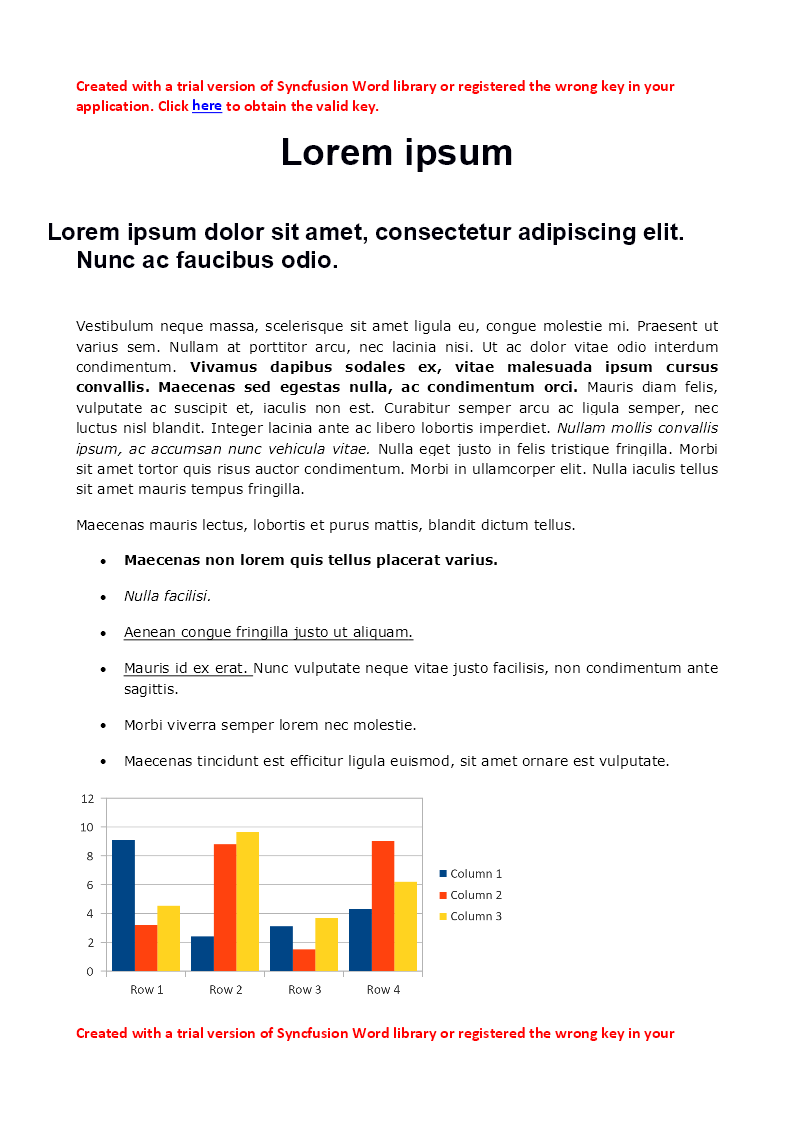
Created with a trial version of Syncfusion Excel library or registered the wrong key in your application. Go to www.syncfusion.com/account/claim-license-key to obtain the valid key.When verifying a Word file or stream, both the textual content of the Word file as well as a png export of the pages in the Word file are verified.
[Test]
public Task VerifyWord() =>
VerifyFile("sample.docx");[Test]
public Task VerifyWordStream()
{
var stream = new MemoryStream(File.ReadAllBytes("sample.docx"));
return Verify(stream, "docx");
}The info file has the document properties under Document, the page count, and the text of each page:
{
Document: {
LastAuthor: Simon Cropp,
Company: ,
LinesCount: 9,
ParagraphCount: 10,
WordCount: 178,
ApplicationName: Microsoft Office Word,
CreateDate: DateTime_1,
RevisionNumber: 3
},
PageCount: 2,
Pages: [
{
Number: 1,
Text:
Created with a trial version of Syncfusion Word library
Created with a trial version of Syncfusion Word library or registered the wrong key in your
application. Click here to obtain the valid key.
Lorem ipsum
Lorem ipsum dolor sit amet, consectetur adipiscing elit.
Nunc ac faucibus odio.
Vestibulum neque massa, scelerisque sit amet ligula eu, congue molestie mi. Praesent ut
varius sem. Nullam at porttitor arcu, nec lacinia nisi. Ut ac dolor vitae odio interdum
condimentum. Vivamus dapibus sodales ex, vitae malesuada ipsum cursus
convallis. Maecenas sed egestas nulla, ac condimentum orci. Mauris diam felis,
vulputate ac suscipit et, iaculis non est. Curabitur semper arcu ac ligula semper, nec
luctus nisl blandit. Integer lacinia ante ac libero lobortis imperdiet. Nullam mollis convallis
ipsum, ac accumsan nunc vehicula vitae. Nulla eget justo in felis tristique fringilla. Morbi
sit amet tortor quis risus auctor condimentum. Morbi in ullamcorper elit. Nulla iaculis tellus
sit amet mauris tempus fringilla.
Maecenas mauris lectus, lobortis et purus mattis, blandit dictum tellus.
Maecenas non lorem quis tellus placerat varius.
Nulla facilisi.
Aenean congue fringilla justo ut aliquam.
Mauris id ex erat. Nunc vulputate neque vitae justo facilisis, non condimentum ante
sagittis.
Morbi viverra semper lorem nec molestie.
Maecenas tincidunt est efficitur ligula euismod, sit amet ornare est vulputate.
Created with a trial version of Syncfusion Word library or registered the wrong key in your
Created with a trial version of Syncfusion PDF library or registered the wrong key
in your application. Clickhereto obtain the valid key.
Created with a trial version of Syncfusion PDF library.
},
{
Number: 2,
Text:
Created with a trial version of Syncfusion Word library
application. Click here to obtain the valid key.
Created with a trial version of Syncfusion PDF library or registered the wrong key
in your application. Clickhereto obtain the valid key.
Created with a trial version of Syncfusion PDF library.
}
]
}The pages of a docx are counted by rendering them, so PageCount is in the info file only when the pages are rendered: it is absent under ExcludeDerivedTargets("png").
Samples.VerifyWord#page_0001.verified.png:

Samples.VerifyWord#page_0002.verified.png:


[Test]
public Task VerifyPowerPoint() =>
VerifyFile("sample.pptx");[Test]
public Task VerifyPowerPointStream()
{
var stream = new MemoryStream(File.ReadAllBytes("sample.pptx"));
return Verify(stream, "pptx");
}A slide is a page. The info file has the document properties under Document, the number of slides as the page count, and the text of each slide:
{
  Document: {
    Title: Lorem ipsum,
    Subject: ,
    Author: Simon Cropp,
    Keywords: ,
    Comments: ,
    Template: ,
    LastAuthor: Simon Cropp,
    RevisionNumber: 1,
    LastPrinted: DateTime_1,
    CreationDate: DateTime_2,
    LastSaveDate: DateTime_3,
    WordCount: 231,
    PresentationTarget: Custom,
    ParagraphCount: 14,
    SlideCount: 3,
    NoteCount: 3,
    ScaleCrop: false,
    LinksDirty: false,
    ApplicationName: Microsoft Office PowerPoint
  },
  PageCount: 3,
  Pages: [
    {
      Number: 1,
      Text:
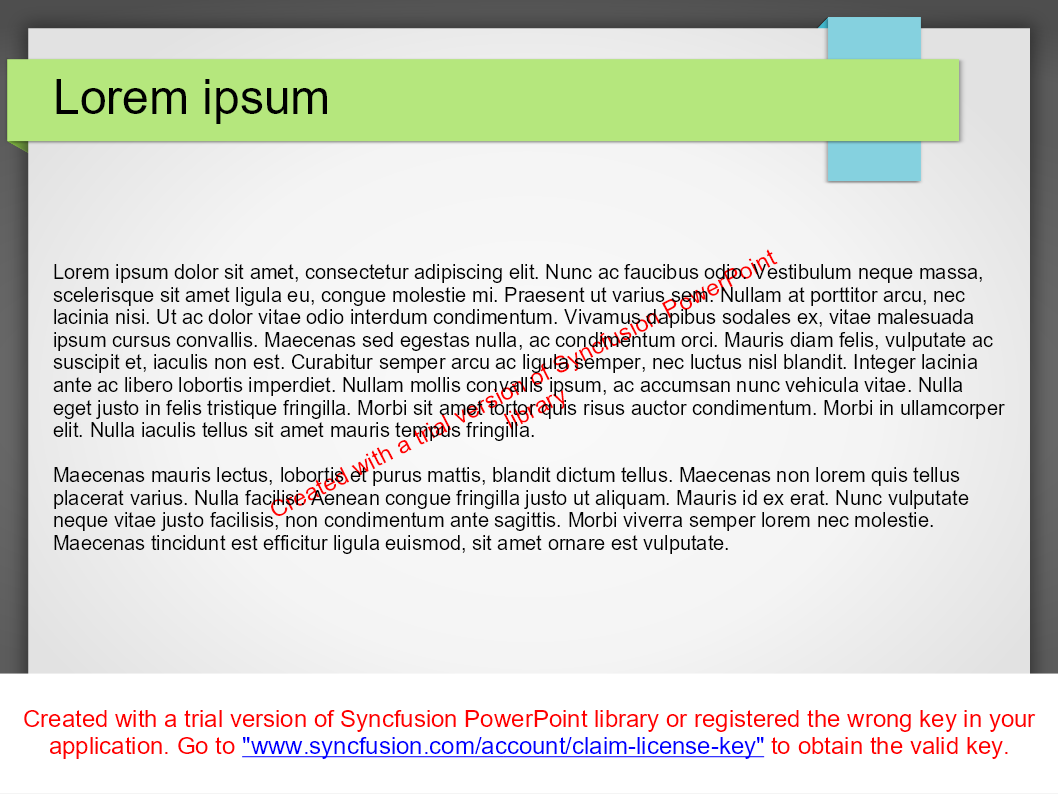
Lorem ipsum
Lorem ipsum dolor sit amet, consectetur adipiscing elit. Nunc ac faucibus odio. Vestibulum neque massa, scelerisque sit amet ligula eu, congue molestie mi. Praesent ut varius sem. Nullam at porttitor arcu, nec lacinia nisi. Ut ac dolor vitae odio interdum condimentum. Vivamus dapibus sodales ex, vitae malesuada ipsum cursus convallis. Maecenas sed egestas nulla, ac condimentum orci. Mauris diam felis, vulputate ac suscipit et, iaculis non est. Curabitur semper arcu ac ligula semper, nec luctus nisl blandit. Integer lacinia ante ac libero lobortis imperdiet. Nullam mollis convallis ipsum, ac accumsan nunc vehicula vitae. Nulla eget justo in felis tristique fringilla. Morbi sit amet tortor quis risus auctor condimentum. Morbi in ullamcorper elit. Nulla iaculis tellus sit amet mauris tempus fringilla.
Maecenas mauris lectus, lobortis et purus mattis, blandit dictum tellus. Maecenas non lorem quis tellus placerat varius. Nulla facilisi. Aenean congue fringilla justo ut aliquam. Mauris id ex erat. Nunc vulputate neque vitae justo facilisis, non condimentum ante sagittis. Morbi viverra semper lorem nec molestie. Maecenas tincidunt est efficitur ligula euismod, sit amet ornare est vulputate.
Created with a trial version of Syncfusion PowerPoint library or registered the wrong key in your application. Click here to obtain the valid key.
Created with a trial version of Syncfusion PowerPoint library or registered the wrong key in your application. Go to "www.syncfusion.com/account/claim-license-key" to obtain the valid key.

    },
    {
      Number: 2,
      Text:
Chart

    },
    {
      Number: 3,
      Text:
Table
Column 1
Column 2
Column 3
Column 4
Column 5
Created with a trial version of Syncfusion PowerPoint library or registered the wrong key in your application. Click here to obtain the valid key.
Created with a trial version of Syncfusion PowerPoint library or registered the wrong key in your application. Go to "www.syncfusion.com/account/claim-license-key" to obtain the valid key.

    }
  ]
}Samples.VerifyPowerPoint#page_0001.verified.png:

When verifying binary package output (xlsx, docx, nupkg, etc.) across multiple target frameworks (e.g. net48 and net10.0), the binary output may differ due to Deflate compression implementation differences. The XML content within entries is identical — only the compressed bytes differ. Use UniqueForRuntime to generate framework-specific verified files:
await Verify(stream, extension: "xlsx")
    .UniqueForRuntime();
See Verify Naming docs for more details.
The source document is included in the snapshot as a .verified.pdf, .verified.docx, .verified.xlsx, or .verified.pptx. Building the deterministic package is expensive, and committing it is not always wanted. ExcludeTargets drops it from a verification and skips the build, while the info, text, csv, and rendered pages still verify:
// Excludes xlsx, so the deterministic xlsx target is skipped.
[Test]
public Task ExcludeXlsx() =>
    VerifyFile("sample.xlsx")
.ExcludeTargets("xlsx");The same applies to pdf, docx and pptx. To exclude for every test, call VerifierSettings.ExcludeTargets("xlsx") at initialization.
A change to a document is a change to several files: the document, its info file, and every page or sheet. Verify tells the diff tool that the pages, the sheets and the info file were derived from the document, and DiffEngineViewer, which reads pdf, docx, xlsx and pptx files itself, shows them as one row and accepts them together. Other diff tools are given each file, as before.
Version 4 moves to the paged document support in Verify 33.3. The settings this package had for choosing what is verified are gone, replaced by those of Verify, which every package built on that support shares.
Initialize no longer takes a SyncfusionOutputs. The enum is still there, obsolete as an error, so that code naming it is pointed here. What it turned off is turned off on VerifierSettings for every test, or on a single verification:
| 3.x | 4.x |
|---|---|
SyncfusionOutputs without Png |
ExcludeDerivedTargets("png") |
SyncfusionOutputs without Text |
PageText(PageTextPlacement.None) |
SyncfusionOutputs without Csv |
ExcludeDerivedTargets("csv") |
SyncfusionOutputs.None |
All three of the above |
PagesToInclude(2), an extension method of this package |
PagesToInclude(2), a method of Verify |
Calls to PagesToInclude compile unchanged. It now applies to a docx as well as to a pdf and a pptx, takes a delegate as well as a count (PagesToInclude(page => page is 1 or 5)), and can be set for every test on VerifierSettings. A count below 1 is an error. PdfPngDevice and ExcludeTargets are unchanged.
The files a page is written to are named by its number, and the text moves into the info file:
| 3.x | 4.x |
|---|---|
#00.verified.txt, the info file of a pdf or docx |
.verified.txt |
#01.verified.txt, #02.verified.txt, the text of pages 1 and 2 of a pdf |
In the info file. Under PageTextPlacement.PerPage: #page_0001.verified.txt, #page_0002.verified.txt |
#01.verified.txt, the text of a docx |
In the info file. Under PageTextPlacement.PerPage: #text.verified.txt |
#00.verified.png, #01.verified.png, pages 1 and 2 |
#page_0001.verified.png, #page_0002.verified.png |
.verified.png, the page of a document with one page verified |
#page_0001.verified.png |
The documents (.verified.pdf, .verified.docx, .verified.xlsx, .verified.pptx) keep their names and their content. The csv of each sheet of an xlsx keeps its name, and its info file is now under Document with a PageCount, as that of every other document is.
Without a license key the save of a workbook adds a sheet named Evaluation Warning and a line of warning to the first row of the others. A workbook is now saved after its sheets are read and drawn, so neither is in the csv files any more: there is no #Evaluation Warning.verified.csv, and the csv of a sheet starts with its own first row. Both are still in the .verified.xlsx.
That is for a document a test verifies directly. Where the document is itself a named target of another converter, an attachment for example, Verify now names the document and what is derived from it relative to that name: the document is #Attachment1, a page is #Attachment1.page_0001, and a sheet is #Attachment1.Sheet1 where it was #Attachment1-Sheet1.
The info file of a pdf, docx and pptx has the shape every paged document has. What it held is under Document, beside the page count and the text:
{                                  {
  PageCount: 2,                      Document: {
  Creator: RAD PDF,                    Creator: RAD PDF,
  Title:                               Title:
}                                    },
                                     PageCount: 2,
                                     Pages: [
                                       {
                                         Number: 1,
                                         Text: A Simple PDF File
                                       },
                                       {
                                         Number: 2,
                                         Text: Simple PDF File 2
                                       }
                                     ]
                                   }
- pdf:
PageCountwas among the document information, and is now beside it. - docx: the built in
PageCountproperty is no longer among the properties, since it is the count the document last stored and not the count of pages it renders to.PageCountis now the number of pages rendered, and is absent when they are not rendered. - pptx: the properties are unchanged.
PageCountis the number of slides.
Renamed snapshots show as a new file and a pending delete. Accepting both, or running once with AutoVerify, moves a test over. The content of a png is unchanged, so source control shows it as a rename.
Boxes designed by Amelia from The Noun Project.