You signed in with another tab or window. Reload to refresh your session.You signed out in another tab or window. Reload to refresh your session.You switched accounts on another tab or window. Reload to refresh your session.Dismiss alert
Project purpose - building a game using a HTML grid of divs as the environment for gameplay. There were suggestions to choose from: Pacman, Tetris, Frogger etc. Timeframe - 1 week. Expected to have a fully functional game, with ability for players to win and lose.
Description:
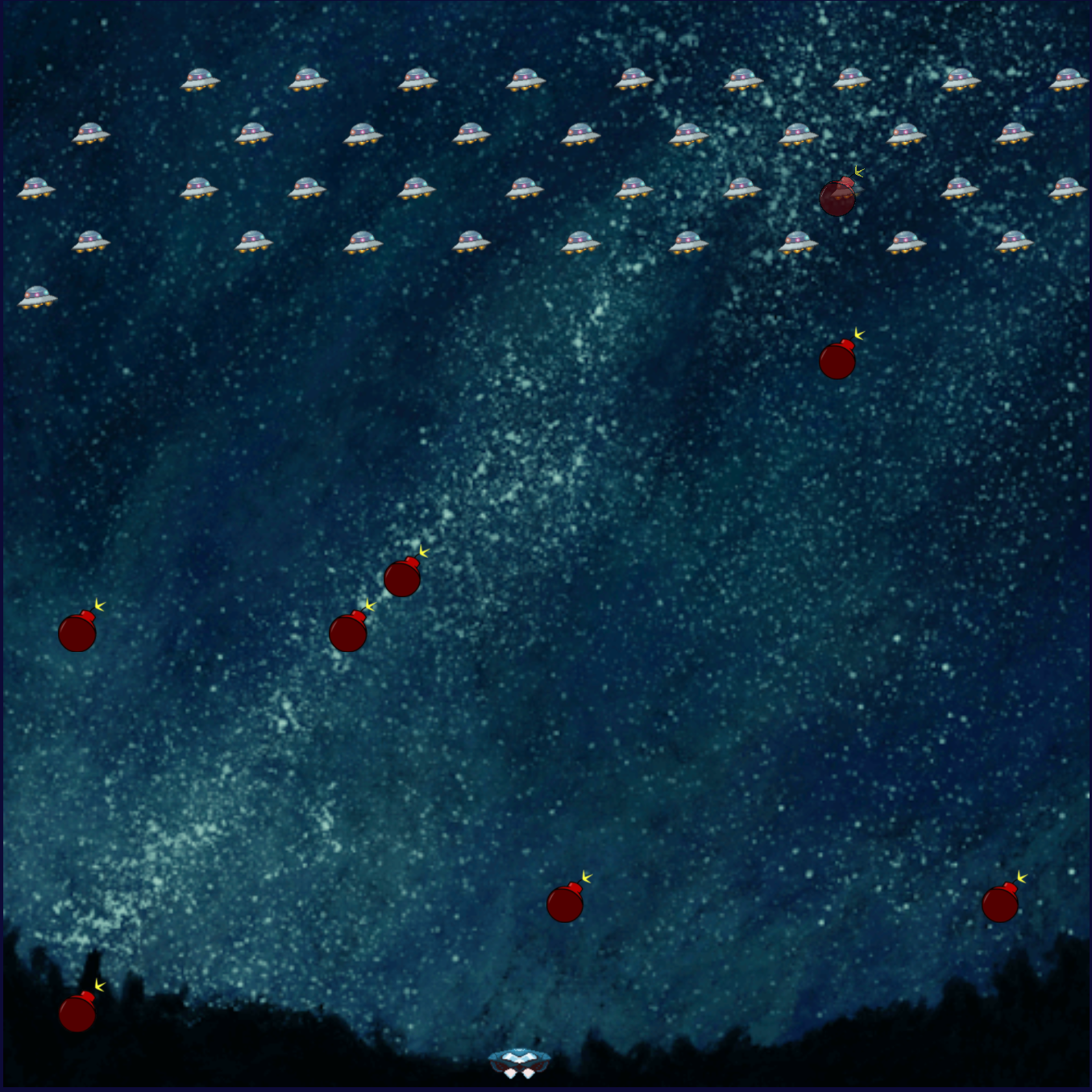
My personal version of Space Invaders classical 80's game. Player aims to shoot down all aliens, moving only right or left. Aliens slowly move down, randomly trying to drop bombs on player. As soon as all aliens are taken down or the player loses all 3 lives - game is over. Target is to achieve maximum points, each alien taken down earning you 10 points. You can only have one bullet on screen, before it reaches the target or leaves the game field, otherwise launching the second one eliminates the first one.
How to play:
Completely intuitive gameplay, using 3 keys. Follow instructions in the actual game.
Create a grid using "for loop" and add divs using JS through DOM.
Give each "cell" (essentially, div) an id for allocation purposes, applying certain css classes at particular situations to each one, creating actual gameplay.
Create classes for game objects: aliens, player, bullet, explosion, collision etc.
Develop functions, setting the particular rules: collision detection, player position, bullet movement etc.
(for more detailed examples see "sample code")
Sample code:
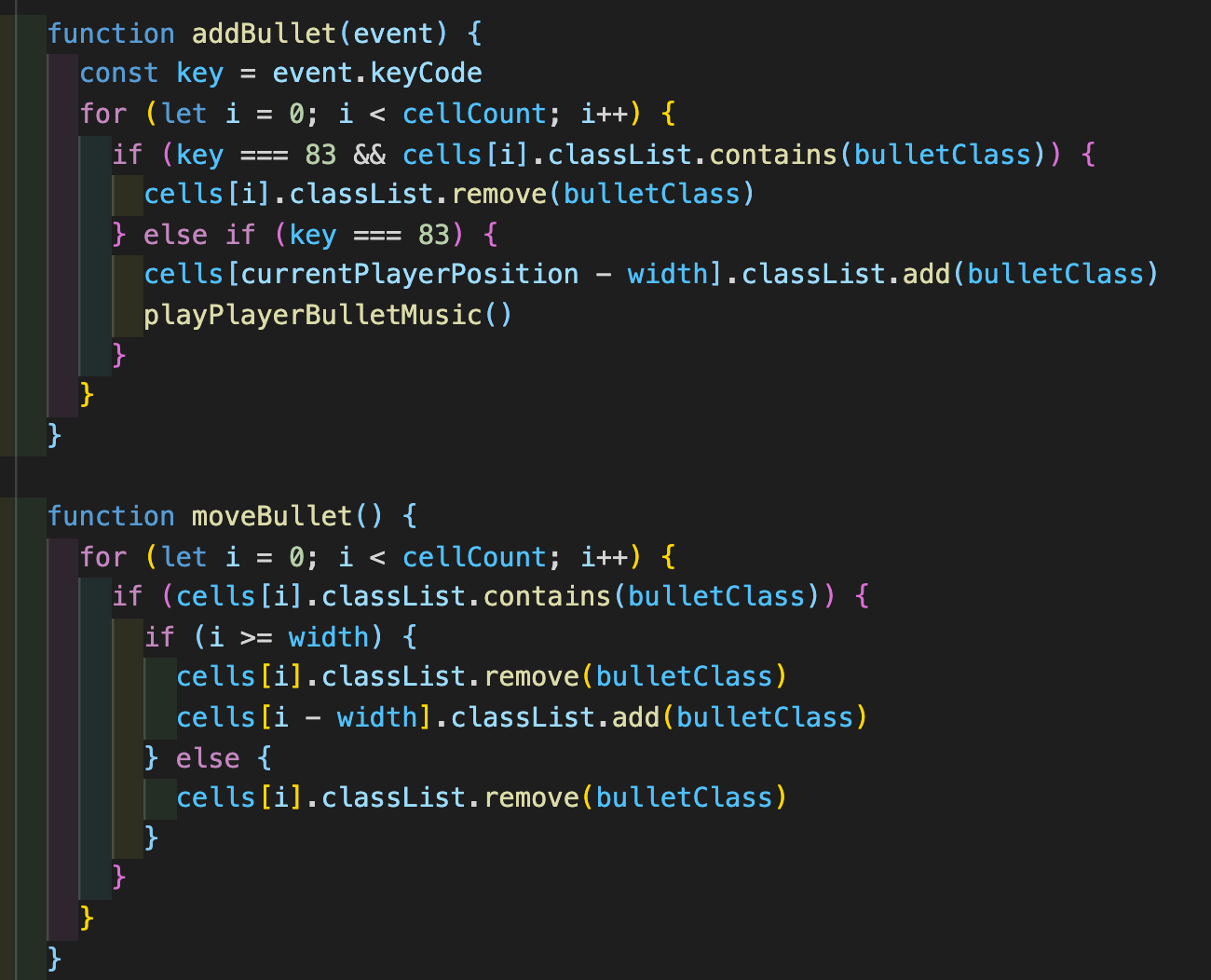
Here you can see, how the bullet moves and what are the conditions:
First function defines what to do if a "cell" contains a particular class, and if right key is pressed, adds a bullet
Second function is running on interval, and moves the bullet up to the top of the game field and removes it when bullet reaches top border.
Here you can have a look at another functional part:
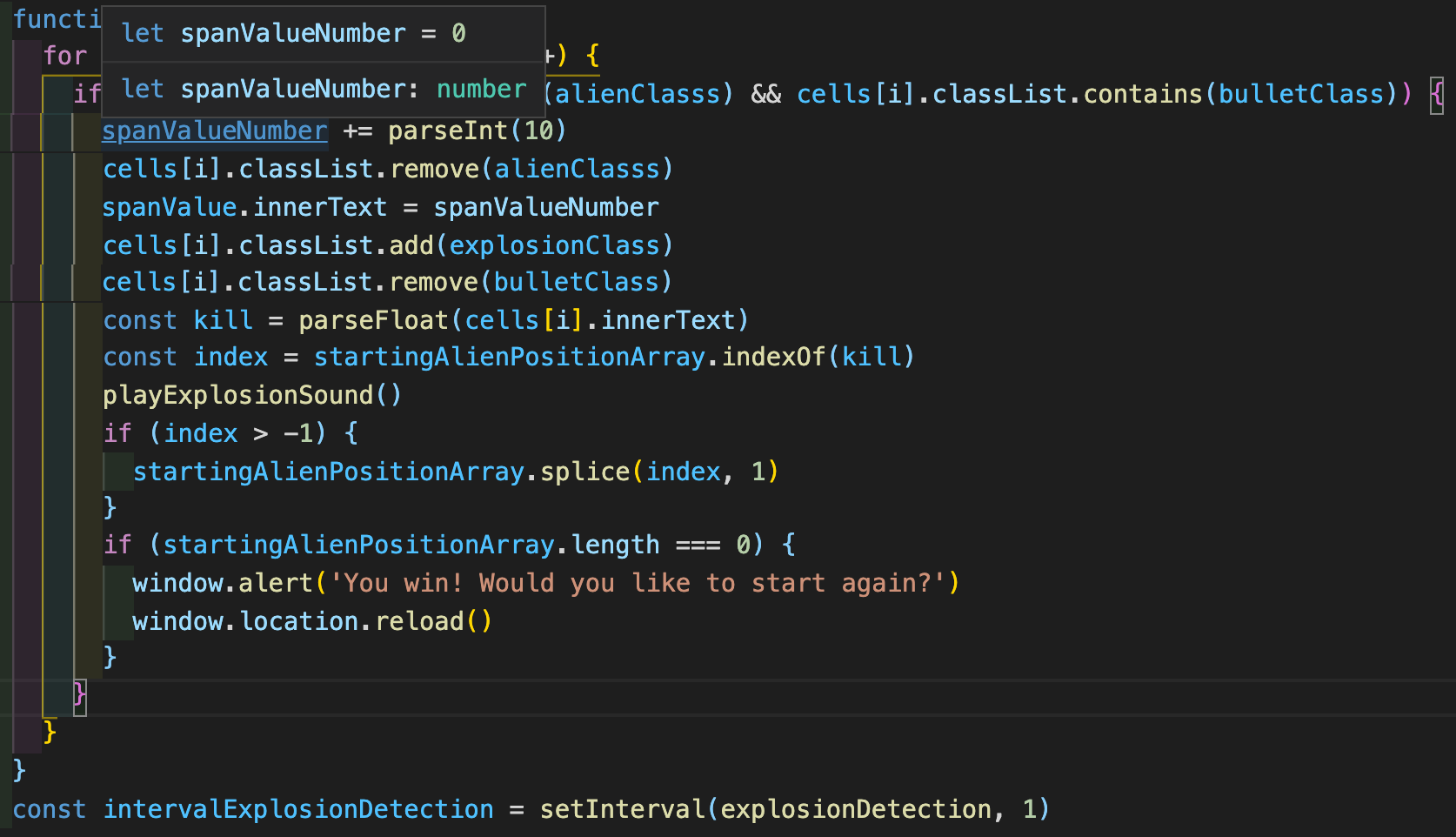
This functions define what happens when you hit the alien:
* It checks, if first of all you do have 2 classes in one "cell" first.
* Add points to your score span.
* Removes both alien and bullet, and sets explosion class to that cell.
* Takes aliens (as array) and splices that array at the index of killed alien.
* Finally, if that was the last alien, it shows victory message.
Wins and challenges:
Wins
It was great practice on array methods and interval management, as well as using "for loop" and getElement functions. Perfect kind of project for beginners to solidify their knowledge of JavaScript
I have designed this game myself, so the sounds I was using had to be "cut" to particular pieces, as they had to fit certain timeframes in my interval-paced game. Good fun and valuable experience.
Challenges
The most challenging part was defining a collision between an alien bullet and player, as it is a multi-conditional function that not only checks if the player was hit, but defines the movement of the alien projectile.
Another very important part, that was hard enough - styling. I wanted to create a perfectly playable game, so I spent quite some time looking for the right resources and making them look like a solid product.