


How to use:
- Connect all the components like the image
- Connect the Arduino through USB port
- In board manager (left-menu), include the libraries in Adafruit_GFX, Adafruit_SSD1306, DHT, pitches.
- Paste the source code (WateringControl.cpp) into Arduino IDE
- Verify and Upload the code
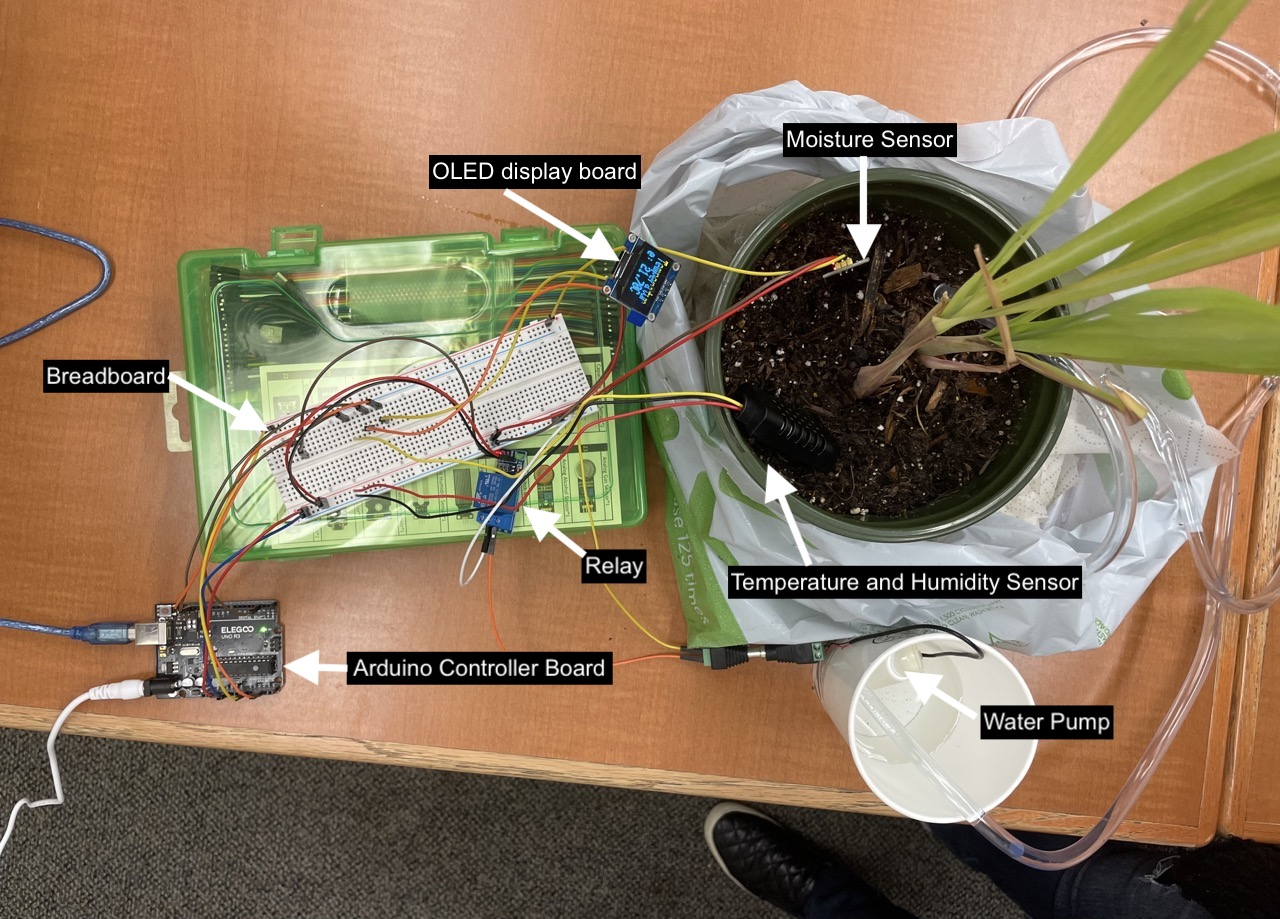
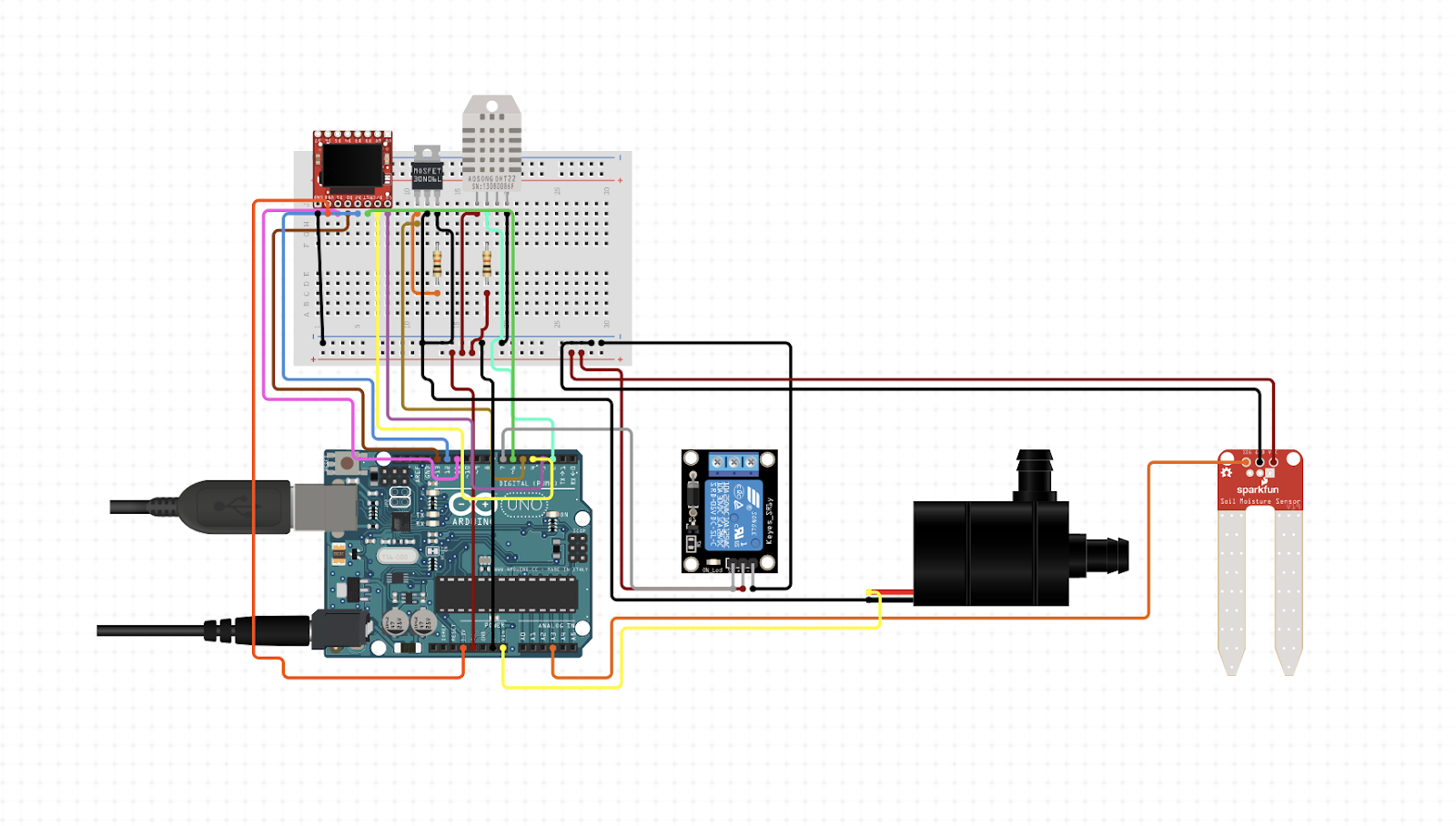
The moisture sensor will send a signal to the Arduino that will prompt the relay to activate/ deactivate the water pump. The signal will be set if the moisture level drops below a set threshold. When the sensor detects that the moisture is high enough, it will send a signal back to the Arduino and stop the pump. (You can change the moisture detection level on line 79 in the code depending on when you want the pump to water).
Breakdown of project development tasks
  Design
    Requirements:
      Hardware: Arduino controller board, water pump, water hose, soil moisture sensor, power adapter, plant, breadboard, jumper wires, digital           temperature humidity sensor, relay and OLED display board.
      Software: Arduino IDE
    Implementation:
      Hardware
        Connected and assembled all parts and components.
        Tested the connections individually to verify if the component was working properly.
        Electrical outlet and or battery powers the Microcontroller. The moisture sensor sends signals to the microcontroller, and the microcontroller sends signals to the water pump through the relay.
        Added the temperature and humidity sensor for the plant’s growth and development
        Added OLED display board to show the temperature, humidity, and moisture level.
      Software
        Written code for the moisture sensor to send a signal to the microcontroller and for the microcontroller to send a signal to the water pump to power the motor.
        Added code for temperature and humidity sensor and display board.


Verify the system working properly using some test cases below:
Case 1: Check if the plant is dry (below moisture threshold),  the pump does not work  = False.
        Verify that it returns False when the plant’s soil is dry or below the moisture threshold and the water pump does not work.
Case 2: Check if the plant is dry (below moisture threshold), the pump does work = True
        Verify that it returns True when the plant’s soil is dry or below the moisture threshold, and the water pump does work.
Case 3: Check if the plant is wet (above moisture threshold), the pump does not work = True
        Verify that it returns True when the plant’s soil is wet or above the moisture threshold, and the pump does not work.
Case 4: Check if the plant is wet (above moisture threshold); the pump does work = False
        Verify that it returns False when the plant’s soil is wet or above the moisture threshold, and the pump does work.
Case 5: Check the temperature and humidity sensor to see if it's working.
        Verify that the temperature and humidity sensor works as it shows on display.
Case 6: Check if the display board shows the temperature, humidity, and moisture level.
        Verify that the display board shows the temperature, humidity, and moisture level.