Repository navigation
HelloWorld
$ tree HelloWorld
.
├── CMakeLists.txt
└── hello.cpp
- You can get familiar with coding and operating docker containers.
- HelloWorld is the same form of project with other four assignments
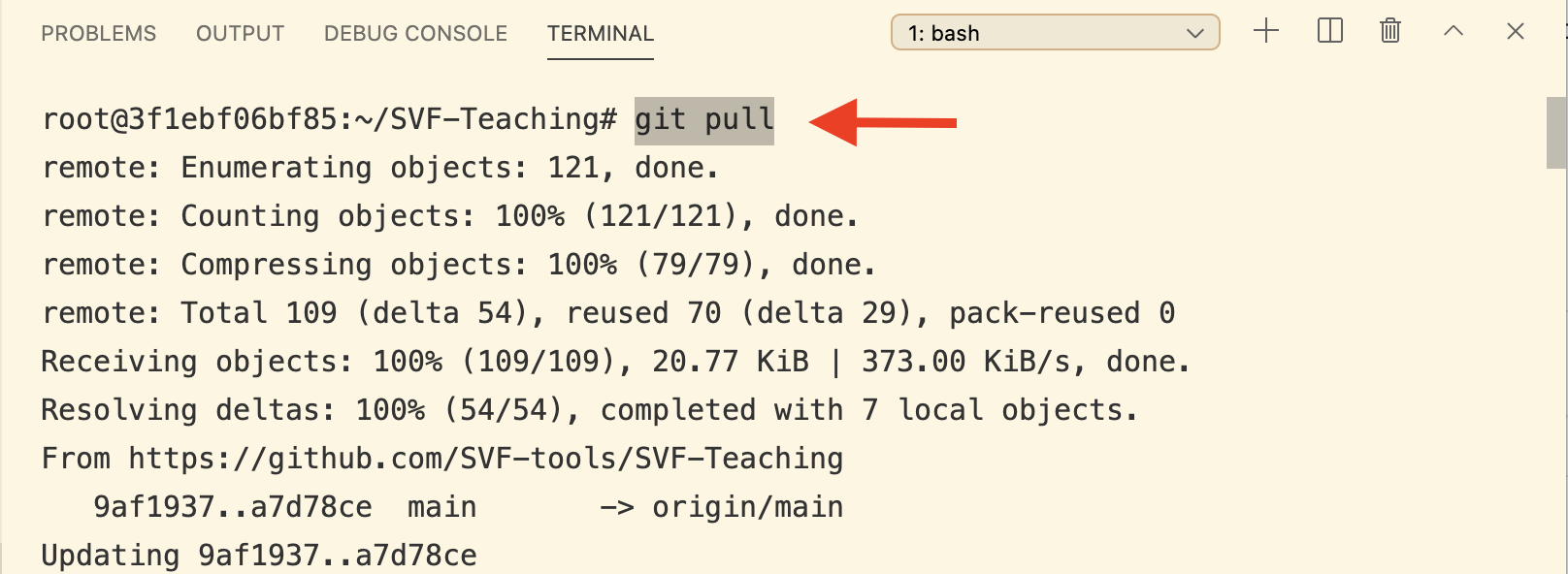
* Before coding, type cd $HOME/Software-Analysis-Studio and git pull in your terminal to make sure you have the latest version of the code template.
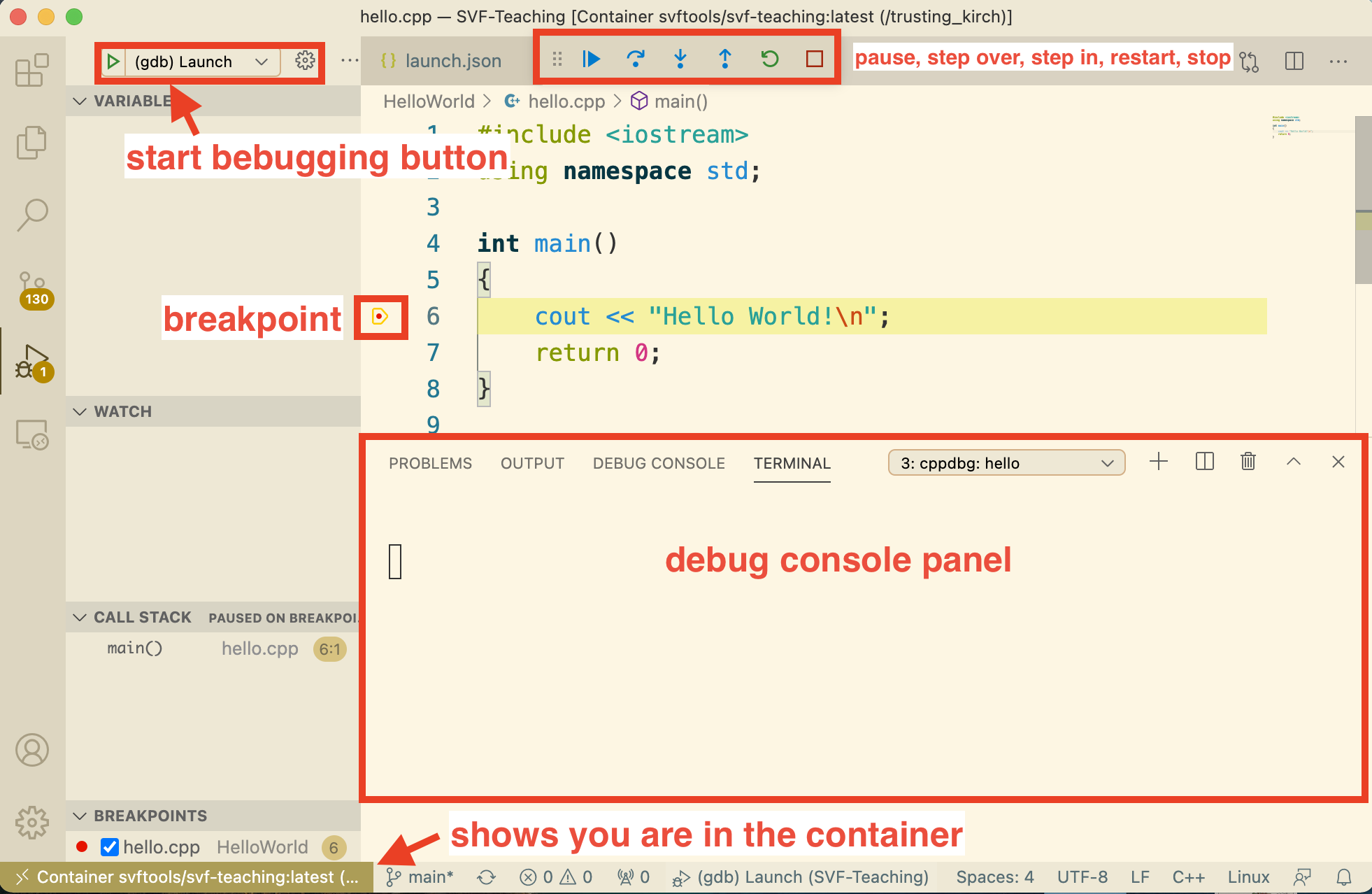
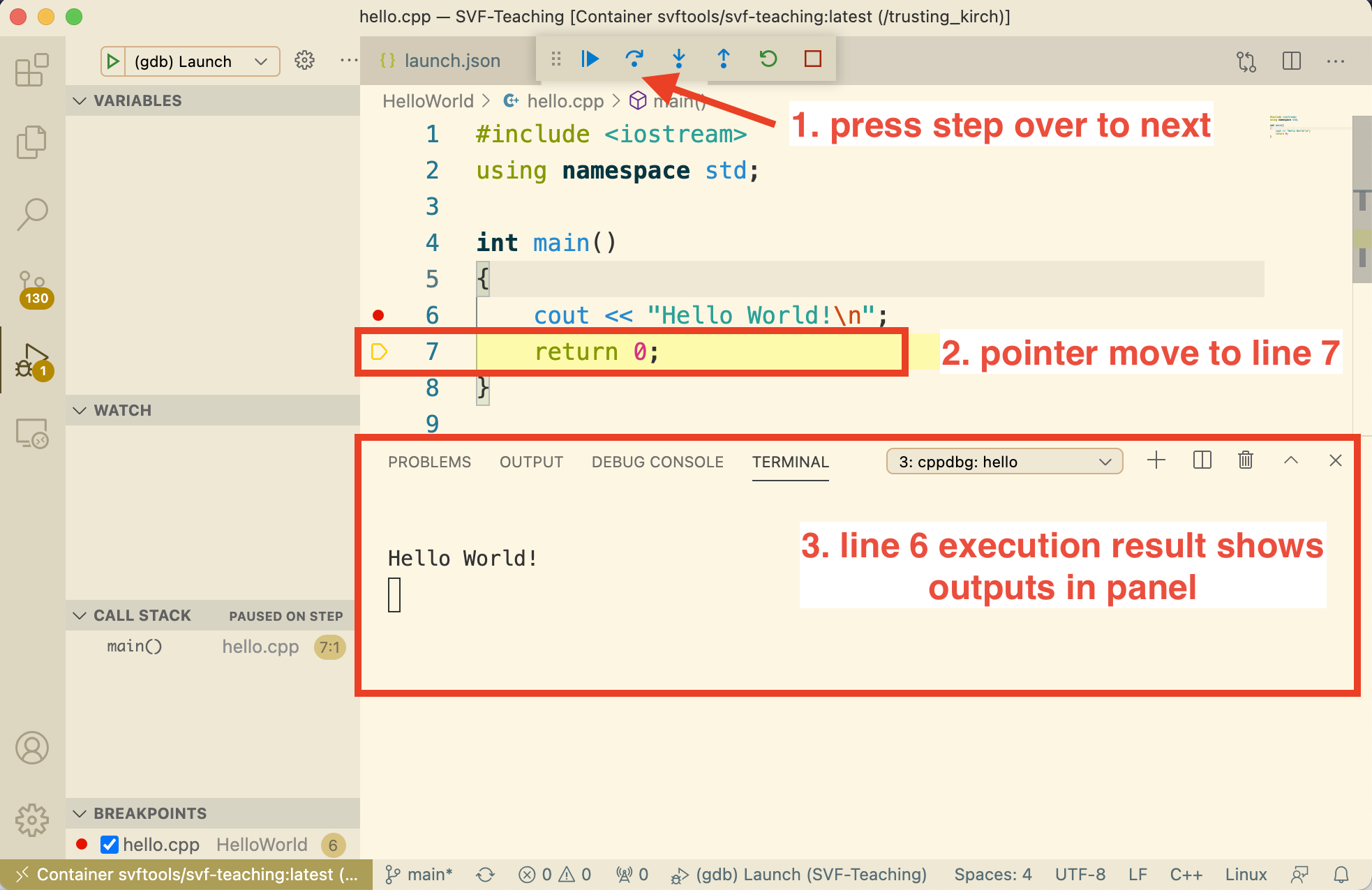
- One of the key features of Visual Studio Code is its great debugging support. VS Code's built-in debugger helps accelerate your edit, compile and debug loop.
- Software-Analysis-Studio provides a
launch.jsondebugging configuration. For more information, refer to VSCode debugging.