

Do you like to memorise text verbatim?
Yes! This plugin helps you.
You can use your preferred plugin manager.
" dein.vim
call dein#add('NI57721/vim-shakyo')

" vim-plug
Plug 'NI57721/vim-shakyo'

" neobundle
NeoBundle 'NI57721/vim-shakyo'

" jetpack
Jetpack 'NI57721/vim-shakyo'

" packer
packer.startup(function() use 'NI57721/vim-shakyo' end)By adding the key mappings below you can run/quit Shakyo mode, and get a
" Examples of settings
nnoremap <leader>r <Plug>(shakyo-run)
nnoremap <leader>q <Plug>(shakyo-quit)
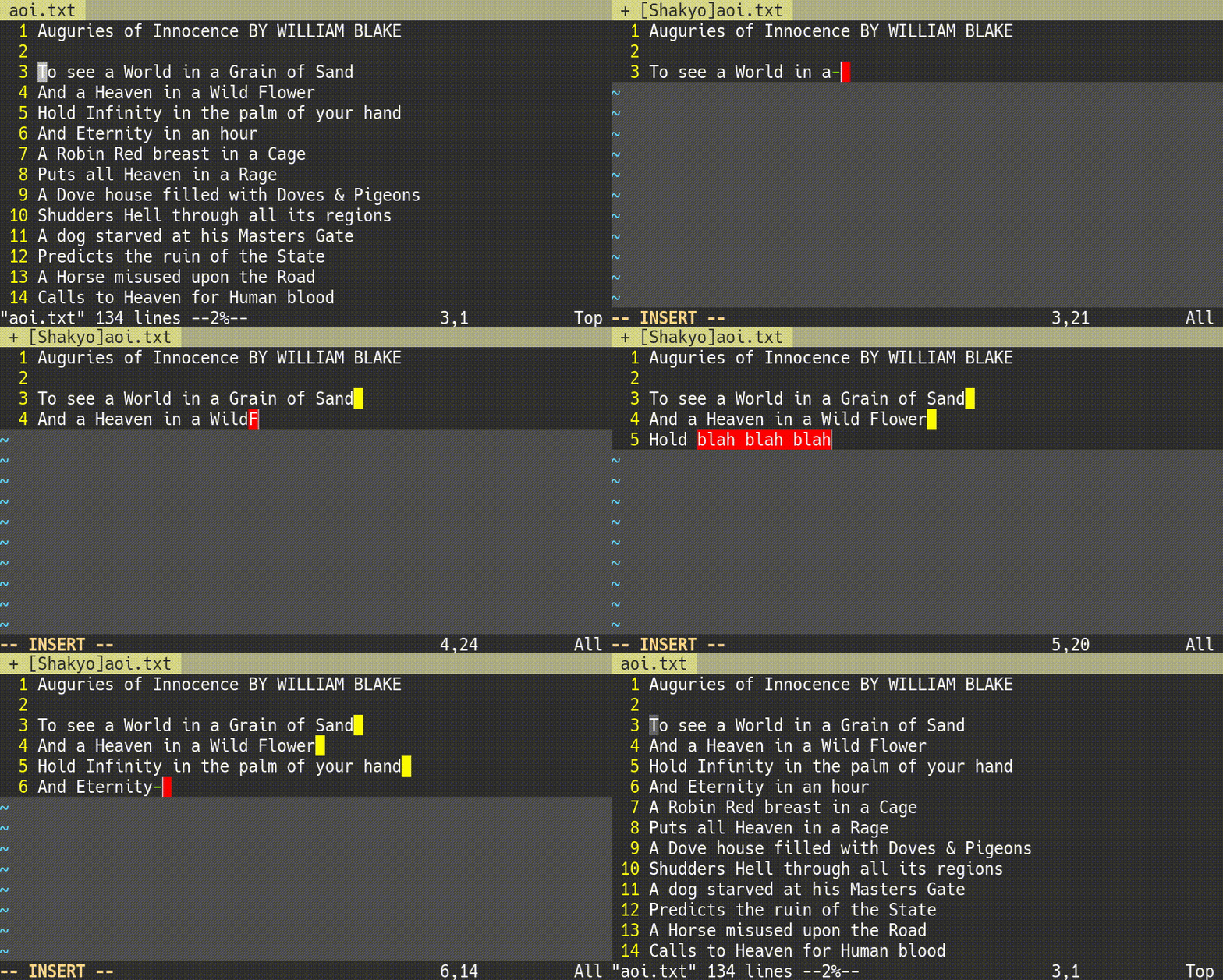
nnoremap <leader>c <Plug>(shakyo-clue)Once you start Shakyo mode, a new buffer is created which has the whole text from the beginning of the buffer to the line on the cursor. In this new buffer you are supposed to write the following text, depending only on your memory. The lines you have written up correctly are highlighted at the ends of the lines to let you know that you have made it. On the other hand, when you write a wrong text, the part is highlighted for you to know that you have mistaken. See Config to learn how to change the highlight groups.
When you quit Shakyo mode, you return to the original buffer as it was when you start Shakyo mode.
If you get stuck, you can get a clue whenever you like. The next letter shows up.
You can specify some attributes by calling shakyo#config().
The ends of correctly written lines are highlighted by highlight.completed, whose default value is 'WildMenu'. Wrongly written characters are highlighted by highlight.wrong, whose default value is 'ErrorMsg'.
    call shakyo#config(#{
      \   highlight: #{
      \     completed: 'WildMenu',
      \     wrong: 'ErrorMsg'
      \   }
\ })MIT Licence