Spotify in your Mac's status bar
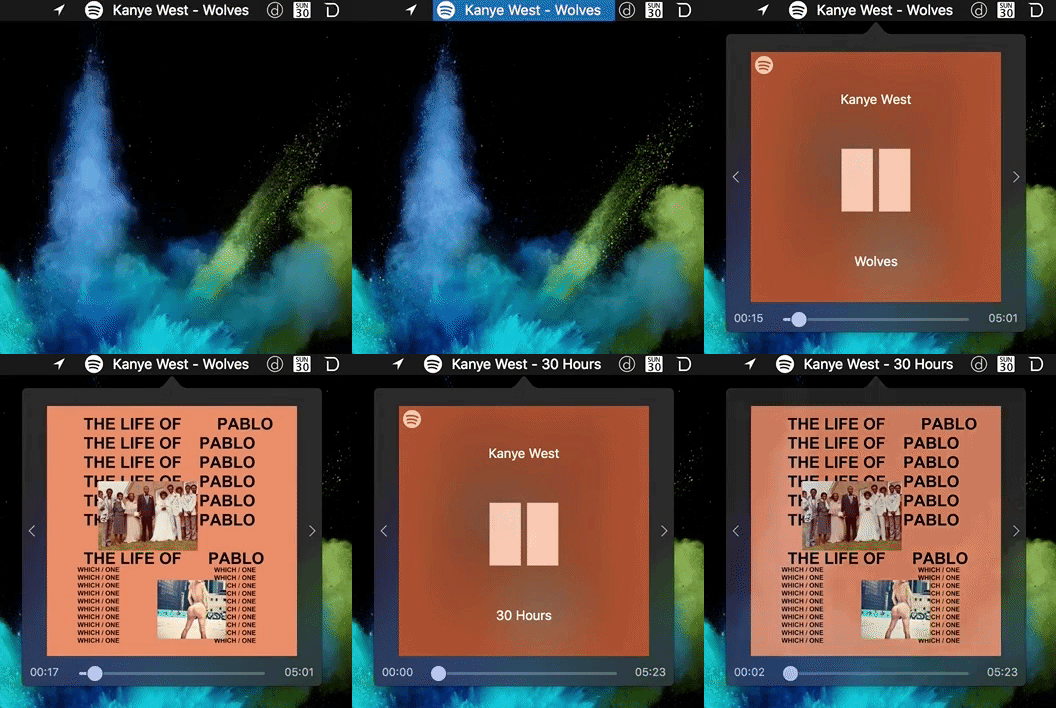
SpStreamer is a combination of TrayPlay, Statusfy, and SpotMenu written entirely in swift.
Features include
- Dark and light theme
- Customizing the status bar - hide/show icons
- Displaying song and/or artist name on status bar
- New song notifications with artist name and song title
- Automatic update system
- Right clicking the "app" (Song name, icon, whatever you have setup) will bring up a new option, "Check for updates"
- Checks for updates every 24 hours and sends a notification if you are behind (Will be an option soon)
- Going into the new updates popover will allow you to download a specific version of the app and see what's available
- New song notifications with artist name and song title
- Add default settings
- Download the zip file Version 2.5.
- Unarchive it.
- Drag and drop into Applications folder and/or just run SpStreamer.app.
- In case of unidentified developer follow these steps!
Because the app is not signed with an official Mac Developer account, you may get the following prompt when running the app for the first time.

- Open Finder
- Navigate to Applications (or wherever you installed the app)
- Right-click on the app and click Open
- When prompted to confirm, click Open
Incase you still have issues (Or demo is down), do the following
- Drag and drop into Applications folder
- Double click SpStreamer app
- You will get security alert, just click ok
- Open System Preferences app
- Click "Security & Privacy"
- Down below click "Open anyways"
First, you'll need Xcode. You can download this at the Mac App Store. Second, you'll need CocoaPods.
Now, use Git to clone the repository.
git clone https://github.com/FernandoX7/SpStreamer.git
cd SpStreamer
pod install
Finally, open up the SpStreamer.xcworkspace. Set the "Scheme" to build the "SpStreamer" target for "My Mac". Then Product > Run (or the shortcut ⌘R).
Note:
- App is made with Swift 3.0 therefore Xcode 8 is required.
- In some cases it might be required to select the "Spotify" scheme and build it before selecting "SpStreamer".
-
Star and Fork
-
Post any issues you find
-
Post new feature requests
-
Enjoy the app? Buy me a ☕️

