OpenCalligraphy is a data browser for the Calligraphy framework developed by Gazillion for Marvel Heroes.
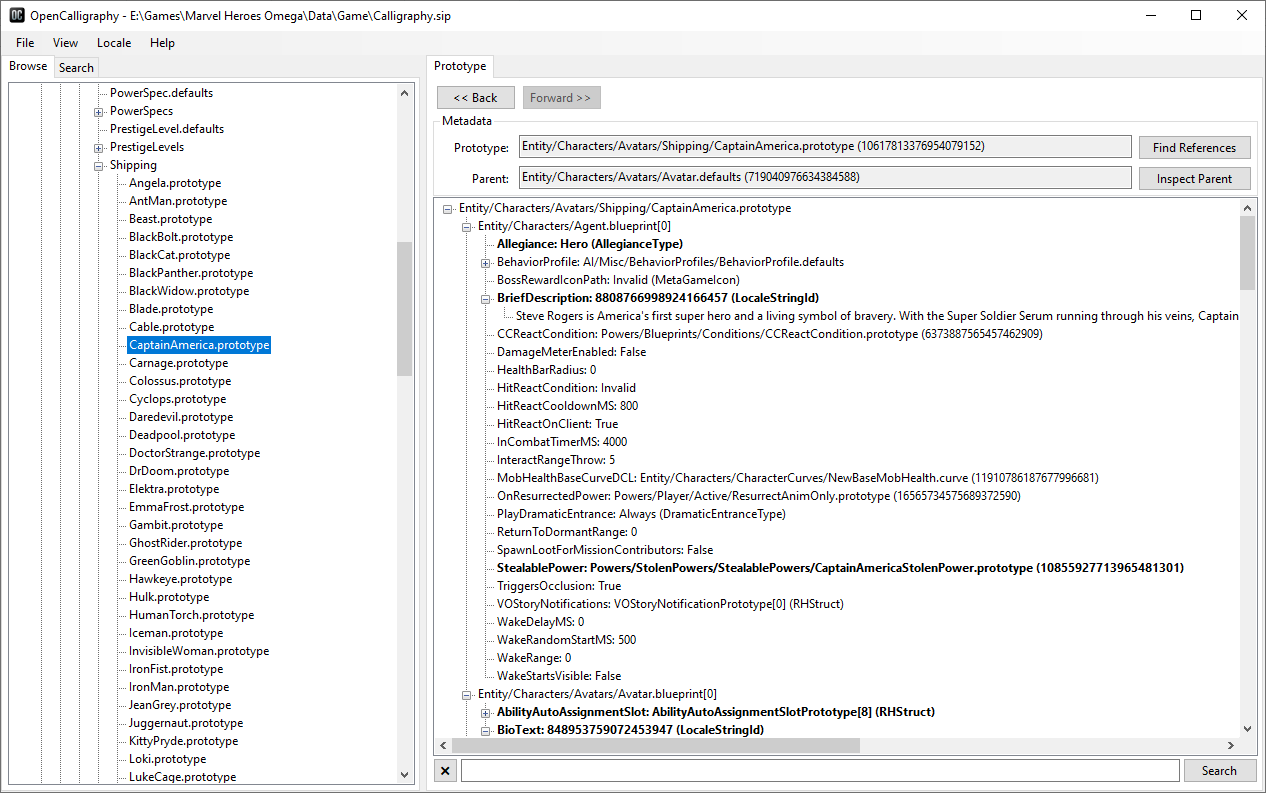
-
Browsing and searching game data.
-
Applying locales to loaded data.
-
Compatibility with all versions of the game.
- The earliest version tested is 1.9.
- Versions prior to 1.29 utilize a legacy archive format. To use OpenCalligraphy with them, first you need to convert the
mu_cdata.siparchive to the format used by later versions of the game with MHSqlitePakRepacker.
Currently, OpenCalligraphy does not include any editing functionality. This is by design. Because the server has limited options for validating client-side data, .sip file modification can cause various issues, particularly on publicly accessible servers. This includes drastically increasing the number of logged errors, which can make actual bugs harder to detect, as well as potentially making cheating more prevalent. Resolving this would most likely require introducing a mandatory external launcher, which is going to make the setup process more difficult even for people who are not playing modded versions of the game, as well as distract server developers from more meaningful tasks, such as implementing support for other versions of the game.
Because of this, I kindly ask not to create and/or distribute forks of OpenCalligraphy or other similar tools with editing functionality, at least for the time being.
-
Make sure you have the .NET Desktop Runtime 8 installed.
-
Download the latest release, unpack the archive and run
OpenCalligraphy.exe. -
Navigate to
File->Open PakFile...and locate theCalligraphy.siparchive. It should be inMarvel Heroes\Data\Game\. -
(Optional) Navigate to
Locale->Load Localeand locate any of the.localefiles. They should be inMarvel Heroes\Data\Game\Loco\.