Repository navigation
Conversation


Author
|
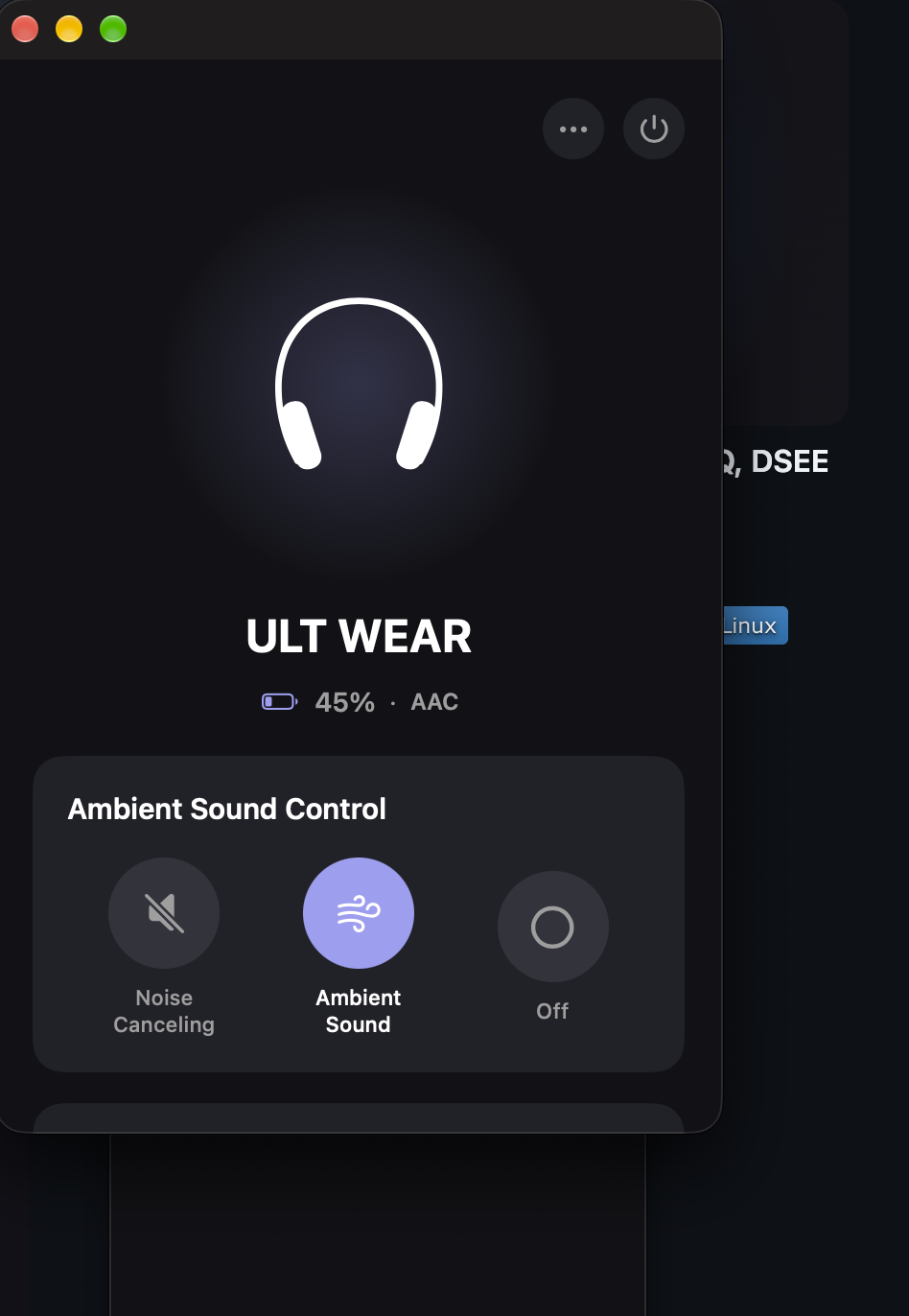
Screenshot with the patched build, ULT WEAR connected (battery, codec and ambient control all come through):
|

catcam
force-pushed
the
fix/macos-ult-wear-autoconnect
branch
from
October 7, 2026 00:55
766787d to
f82f4a5
Compare


The v0.3.3 ULT WEAR fix changed MacOSBluetoothConnector::getConnectedDevices,
but the macOS app connects through HeadphonesBridge.scanAndConnect, which
only auto-selects a paired device that is isConnected AND whose name matches
WH-/WF-/WI-/MDR-/XB/LinkBuds. "ULT WEAR" matches neither, so the app fell
back to IOBluetoothDeviceSelectorController, which lists only discoverable
devices and showed an empty list.

- add "ULT" to the Sony name prefixes
- if no connected match, fall back to any paired device that looks like a
  Sony headset (BLE/audio-only links report isConnected == NO)

Assisted-by: Nikša Barlović <catcam@gmail.com>
Tested-by: Nikša Barlović <catcam@gmail.com>
catcam
force-pushed
the
fix/macos-ult-wear-autoconnect
branch
from
October 7, 2026 00:55
f82f4a5 to
22c3676
Compare
This branch has not been deployed
This file contains hidden or bidirectional Unicode text that may be interpreted or compiled differently than what appears below. To review, open the file in an editor that reveals hidden Unicode characters.
Learn more about bidirectional Unicode characters
Sign up for free
to join this conversation on GitHub.
Already have an account?
Sign in to comment
2 participants


Add this suggestion to a batch that can be applied as a single commit.This suggestion is invalid because no changes were made to the code.Suggestions cannot be applied while the pull request is closed.Suggestions cannot be applied while viewing a subset of changes.Only one suggestion per line can be applied in a batch.Add this suggestion to a batch that can be applied as a single commit.Applying suggestions on deleted lines is not supported.You must change the existing code in this line in order to create a valid suggestion.Outdated suggestions cannot be applied.This suggestion has been applied or marked resolved.Suggestions cannot be applied from pending reviews.Suggestions cannot be applied on multi-line comments.Suggestions cannot be applied while the pull request is queued to merge.Suggestion cannot be applied right now. Please check back later.
Problem
v0.3.3 from the Homebrew cask, with a Sony ULT WEAR (WH-ULT900N, fw 2.0.7) paired and playing audio: clicking Connect opens the native "Select Bluetooth Device" picker, and the list is empty.
The v0.3.3 fix (8c81a27) touched
MacOSBluetoothConnector::getConnectedDevices, but the SwiftUI app goes throughHeadphonesBridge -scanAndConnectWithCompletion:. That only auto-selects a paired device that isisConnectedand hasWH-/WF-/WI-/MDR-/XB/LinkBudsin its name. "ULT WEAR" fails both checks, so it drops toIOBluetoothDeviceSelectorController, which only shows discoverable devices.Fix
ULTto the prefixes inSHCLooksLikeSonyHeadsetisConnected == NO(same thing 8c81a27 ran into), andconnect()opens RFCOMM on demand anywayTested
MacBook Pro (Apple Silicon), macOS 27.0.1, Xcode 27.0, ULT WEAR fw 2.0.7.
Before: empty picker. After: Connect picks up the ULT WEAR straight away and the controls work.
Unrelated, didn't touch it here: Xcode 27 refuses
MACOSX_DEPLOYMENT_TARGET = 11.0(supported range is 12.0–27.0), so I built withMACOSX_DEPLOYMENT_TARGET=12.0on the command line.🤖 Generated with Claude Code