Repository navigation
Expand file tree
/
Copy pathcompose.yaml
More file actions
210 lines (177 loc) · 12.1 KB
/
Copy pathcompose.yaml
File metadata and controls
210 lines (177 loc) · 12.1 KB
1
2
3
4
5
6
7
8
9
10
11
12
13
14
15
16
17
18
19
20
21
22
23
24
25
26
27
28
29
30
31
32
33
34
35
36
37
38
39
40
41
42
43
44
45
46
47
48
49
50
51
52
53
54
55
56
57
58
59
60
61
62
63
64
65
66
67
68
69
70
71
72
73
74
75
76
77
78
79
80
81
82
83
84
85
86
87
88
89
90
91
92
93
94
95
96
97
98
99
100
101
102
103
104
105
106
107
108
109
110
111
112
113
114
115
116
117
118
119
120
121
122
123
124
125
126
127
128
129
130
131
132
133
134
135
136
137
138
139
140
141
142
143
144
145
146
147
148
149
150
151
152
153
154
155
156
157
158
159
160
161
162
163
164
165
166
167
168
169
170
171
172
173
174
175
176
177
178
179
180
181
182
183
184
185
186
187
188
189
190
191
192
193
194
195
196
197
198
199
200
201
202
203
204
205
206
207
208
209
210
name: reverse-proxy
x-daemonless:
title: "Daemonless Reverse Proxy"
type: appliance
icon: ":material-shield-check:"
category: "Network"
description: "Give every app on your network a real name with HTTPS: radarr.home.lan instead of 192.168.1.20:7878. Set up in a browser, no config files."
upstream_url: "https://github.com/daemonless/reverse-proxy"
web_url: "https://daemonless.io/images/reverse-proxy/"
freshports_url: ""
user: "root"
mlock: false
upstream_binary: false
community: "Discord:https://discord.gg/Kb9tkhecZT"
readme:
introduction: |-
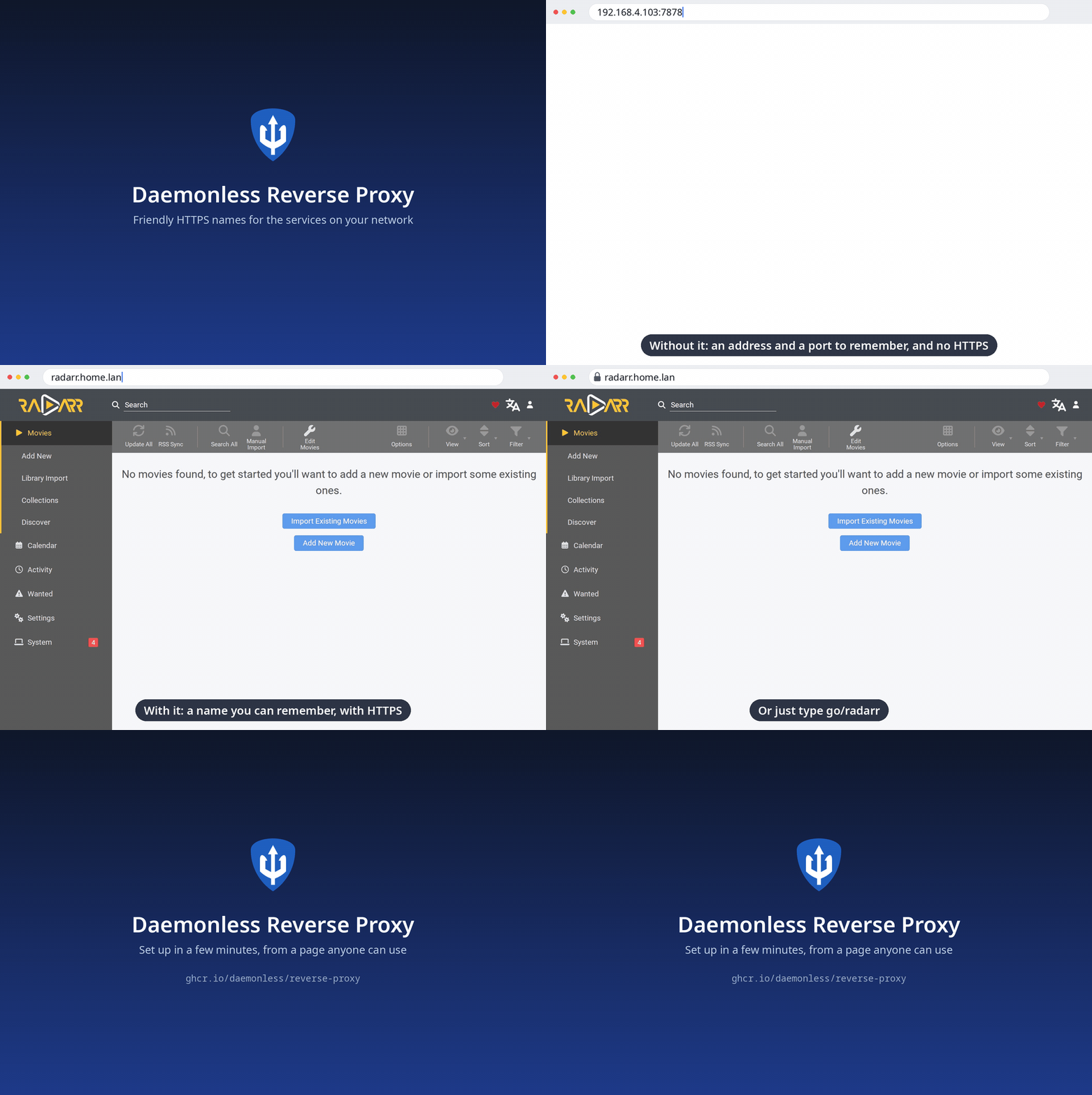
Your apps live at addresses like `192.168.1.20:7878`, and every browser
warns that they are "not secure". The reverse proxy gives each one a
name, `radarr.home.lan` or `radarr.example.com`, with a padlock. You
set it up from a web page, step by step, and add a name by pasting the
address you use today. It is [Caddy](https://caddyserver.com) underneath, managed for you.
**What it does**
- **A name and a padlock for every app.** Paste where an app is; the proxy finds out whether it speaks HTTP or HTTPS and checks that it answers.
- **Tells you when an app is down.** Every name is checked once a minute: its last 24 hours and its uptime show on the Names page, 90 days and the outages on its own. A message to ntfy or a webhook when one stops answering, and again when it is back.
- **Three kinds of names, your choice.** *Just for home* (`radarr.home.lan`): free, works without the internet; the proxy is its own certificate authority, limited to your ending, and walks each phone and computer through trusting it once, with a QR code. *A free name* (`radarr.you.duckdns.org`) or *your own domain* (`radarr.example.com`): real certificates from Let's Encrypt, one wildcard for every name, renewed by itself; nothing to install on any device. It picks your DNS provider from the domain (Cloudflare, Route 53, DuckDNS, deSEC, Porkbun, Hetzner, OVH, Gandi, RFC 2136, acme-dns) and tries the token on Let's Encrypt's test service first.
- **Home only, unless you say so.** Every name opens only for devices on your home network. Open one to the internet when you want to; outsiders asking for any other name get nothing back, not even a "not found". On a host with several networks, you pick which are home: the proxy still reaches apps on the others.
- **Short links.** Type `go/radarr` in any browser on your network. `go/` alone lists every name.
- **Walks you through your router.** Setup says exactly which record to add, with steps for OPNsense, pfSense, UniFi, Pi-hole, AdGuard Home and others, and turns green when it works.
- **Says what is wrong, in plain words.** A certificate that fails says why (token rejected, record never appeared, rate limit) and how to fix it. A name nobody set up shows a page saying so, at home.
- **Works with [fjord](https://github.com/daemonless/fjord).** Installed from fjord, it pairs by itself: fjord lists your apps that have no name yet, names them in one click, and keeps each name pointing at its app when the app moves to a new address.
- **Scriptable.** A key per app or script manages names and nothing else; there is an OpenAPI reference and a command line inside the container.
- **Easy to keep.** One encrypted backup file holds everything; restore it on a fresh install. Delete a name by mistake and Undo brings it back.
Native FreeBSD (amd64 and arm64), built from source. The web UI runs unprivileged; only Caddy is root, to bind ports 80 and 443.
notes: |
### First run
Start the container and read its log: it prints a link like
`https://<this machine>:8443/#token=XXXX-XXXX-XXXX-XXXX`. Open it from
another device on your network (the host itself cannot reach its own
published ports). Setup asks for a password, which networks are home
(only when the proxy is on more than one), how your names should look,
one record on your router, and then helps each device trust the proxy.
Installed from fjord, fjord opens this link for you.
The admin uses a self-issued certificate until setup is done, so the
browser warns once. After setup it lives at `https://proxy.<your ending>`
with a certificate your devices trust. The proxy remembers the address
you sign in at, so `reverse-proxy reset-password` and a later first run
print it; `RP_ADMIN_URL` makes the very first link exact too.
### Names
**Just for home** (`apps.lan`, `home.arpa`, …): the proxy makes its own
root certificate, restricted to that ending, so it can never vouch for
any other site. The Trust page has steps for iPhone and iPad, Android,
Mac, Windows, Linux and FreeBSD, with a QR code for phones. Visitors'
devices see a warning until they trust it too.
**A free name**: pick "A free name from DuckDNS" in setup, sign in at
duckdns.org, add a name, paste its token. Every app gets a name like
`radarr.you.duckdns.org` that every device already trusts.
**Your own domain** (`home.example.com`): setup finds where its DNS is
hosted and asks for a token that can edit its records. The proxy gets
one wildcard certificate from Let's Encrypt for every name under it, so
names never appear in the public certificate logs one by one. Nothing is
reachable from the internet unless you open a name to it.
Per name, for apps that need it: more than one name for the same app;
an app that serves HTTPS itself (its own certificate can be accepted);
and "the service expects its own address", for apps such as UniFi that
refuse a sign-in coming from another name.
### Who can open what
A name is **home network only** unless you open it to the internet.
Home is your private network (`10.x`, `172.16–31.x`, `192.168.x`), plus
anything you add under Settings → Home network, such as a VPN
(`100.64.0.0/10` for Tailscale).
When the container is on several networks (fjord can give it one per
VLAN so it reaches every app), setup and Settings → Home network list
them. Devices on a ticked network can open the proxy and its home-only
names. On an unticked one the proxy does not even answer, and its devices
are never home, whatever your router does; the proxy still reaches the
apps there. The network your browser is on stays ticked, so you cannot
lock yourself out. From the command line:
`reverse-proxy listen 192.168.1.0/24` (or `listen all`); `RP_LISTEN`
sets it in the compose.
### Short links
Type `go/radarr` in a browser to open `radarr.<your ending>`, with any
path after it; `go/` alone lists every name. It takes one more record
on your router (`go` pointing at the proxy); setup and Settings → Short
links walk you through it. The word is yours to change, or turn off.
The first time, type `http://go/radarr` with the `http://`: Safari and
Firefox otherwise search the web for it.
### fjord
Install the proxy from [fjord](https://github.com/daemonless/fjord) and
the two pair by themselves: fjord passes a key and a setup link, and its
Finish setup button opens setup already verified. After that, fjord
lists the apps that have no name yet and names the ones you pick, and
keeps each name pointing at its app when the app's address changes.
### Scripts and other apps
Anything that can make an HTTPS request can manage names. Make a key
under Settings → Connected apps (or hand one to the proxy at install as
`RP_PAIRING_KEY`) and send it as a bearer token; a key manages names and
nothing else. The reference is the proxy's own
`https://<proxy>:8443/api/v1/openapi.json`.
```sh
curl -sS https://192.168.1.5:8443/api/v1/hosts \
-H "Authorization: Bearer rp_..." \
-d '{"name":"radarr","target":{"address":"192.168.1.20","port":7878},"access":"home"}'
```
Inside the container the same works from the command line, no key needed:
```sh
podman exec reverse-proxy reverse-proxy hosts
podman exec reverse-proxy reverse-proxy hosts add radarr 192.168.1.20:7878
podman exec reverse-proxy reverse-proxy hosts remove radarr
```
### Operations
- **Forgot the password:** `podman exec reverse-proxy reverse-proxy reset-password` prints a new setup link.
- **Backup:** Settings → Backup downloads one passphrase-encrypted file (names, settings, password, root certificate, DNS token). Restore it from the welcome screen of a fresh install.
- **Keep `/data`:** it holds the certificates Caddy issued. Losing `/config` loses the root certificate and the DNS token, and every device would have to trust the proxy again; a backup avoids that.
- **Certificate trouble:** the Names page shows a banner while a certificate is being obtained or when it failed, with the reason in plain words. Change the token under Settings → Ending and certificates.
- **Non-default HTTP port:** if you publish the trust page on something other than 80, set `RP_TRUST_PORT` so the Trust page's commands and QR code use it.
### How it works
One container, two programs. Caddy runs as root so it can bind ports 80
and 443; the admin (the web UI and API) runs as `bsd` (`PUID`/`PGID`).
They talk over unix sockets inside the container. The admin keeps one
state file and writes Caddy's whole configuration from it: nothing is
hand-edited, and a change Caddy refuses leaves the running one in place.
# fjord installs it as its names provider: it fills these variables, then
# gives the other apps names through the API on 8443 with the key.
provides:
names:
port: 8443
key: ${RP_PAIRING_KEY}
setup_token: ${RP_SETUP_TOKEN}
client_url: ${RP_PAIRING_URL}
client_id: ${RP_PAIRING_ID}
client_name: ${RP_PAIRING_NAME}
docs:
env:
PUID: "User ID for the admin process (Caddy stays root to bind 80 and 443)"
PGID: "Group ID for the admin process"
TZ: "Timezone for the container"
RP_ADMIN_URL: "Where you open the admin UI, e.g. https://192.168.1.5:8443. Optional: the proxy remembers the address you sign in at; this makes the first-run link exact before anyone has."
RP_TRUST_PORT: "Host port that reaches the HTTP trust page if you publish it on something other than 80. Optional."
RP_DEBUG: "Set to 1 for Caddy's full info-level log. Off by default so the log stays readable."
RP_PAIRING_KEY: "Admin only. A key (32+ random characters) an app that installed the proxy, such as fjord, uses to manage hosts; registered once as a connected app"
RP_PAIRING_NAME: "Admin only. The connected app's name for RP_PAIRING_KEY. Default: Paired app"
RP_SETUP_TOKEN: "Admin only. First-run setup token chosen by the installing app, so it can open setup for you. Default: a new one in the log"
RP_PAIRING_URL: "Admin only. Where the installing app is opened, shown as a way back to it. Optional."
RP_PAIRING_ID: "Admin only. The installing app's permanent id, so several of them are told apart. Optional."
volumes:
/config: "Admin state and secrets"
/data: "Certificates, ACME account and the internal CA"
ports:
80: "HTTP: trust page and redirects to HTTPS"
443: "HTTPS: your hosts"
8443: "Admin UI (HTTPS)"
services:
reverse-proxy:
image: ghcr.io/daemonless/reverse-proxy:latest
container_name: reverse-proxy
# "always", not "unless-stopped": FreeBSD's podman rc.d only auto-starts
# containers with restart-policy=always at boot (needs podman_enable=YES).
restart: always
environment:
- PUID=1000
- PGID=1000
- TZ=UTC
# - RP_ADMIN_URL=https://192.168.1.5:8443
# Set by an app that installs the proxy (fjord); empty otherwise.
- RP_PAIRING_KEY=
- RP_PAIRING_NAME=fjord
- RP_PAIRING_ID=
- RP_SETUP_TOKEN=
- RP_PAIRING_URL=
volumes:
- /path/to/containers/reverse-proxy:/config
- /path/to/containers/reverse-proxy/data:/data
ports:
- 80:80
- 443:443
- 8443:8443